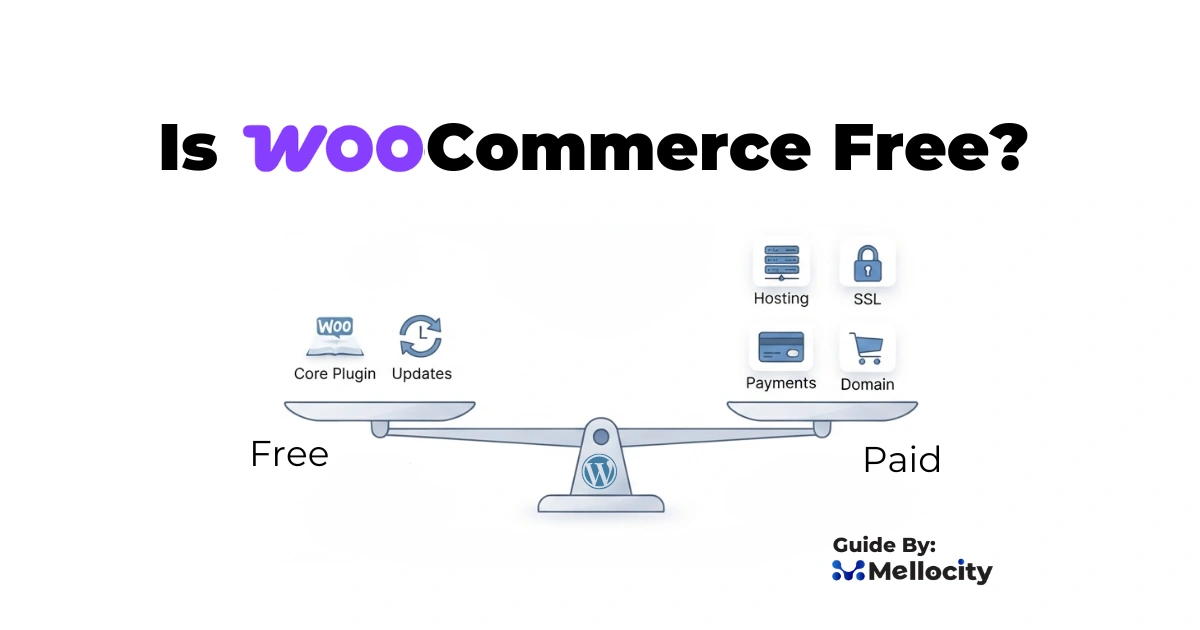
Is WooCommerce Free? — Yes, the core plugin is free, but running a live, secure, and scalable store requires paid hosting, domain, payment processing, premium extensions, and ongoing maintenance.
What Is WooCommerce:
WooCommerce is widely promoted as a free route into e-commerce, and that’s true in one sense , the core plugin is free and open-source. But “free” in the WordPress ecosystem rarely means zero cost to operate a real, public-facing store. Below i explains exactly what’s free, what costs you should expect, and how to budget for a WooCommerce store that’s secure, fast, and scalable. I’ll cover hosting, domains, SSL, payment processing, themes and plugins, maintenance, development, and when WooCommerce is , or isn’t , the best choice for you.
Why people call WooCommerce “free”
- WooCommerce is a WordPress plugin available at no charge from the official WordPress plugin repository.
- WordPress itself is free and open-source, which makes the base platform free to download, install, and use.
- There are no license fees, no platform commissions, and no mandatory monthly subscriptions imposed by WooCommerce for the basic plugin.
- Because it’s open-source, you fully own your site files, database, and customer data — you’re not renting a storefront on someone else’s closed platform.
Distinguishing software vs infrastructure
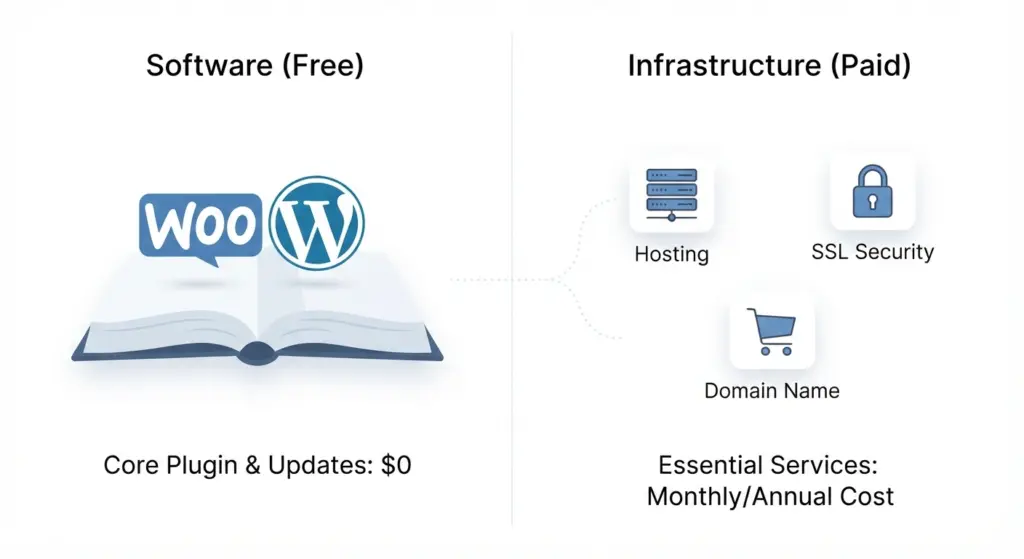
Software (the free part)
- The WooCommerce plugin — the code that adds e-commerce features to WordPress — is free.
- Basic functionality includes product creation, cart and checkout flows, order management, taxes, and simple shipping options.
- No revenue share: WooCommerce does not take a cut of your sales.
Infrastructure (the unavoidable costs)
- To accept customers on the public internet you must host the software and connect it to a domain with security. Those services cost money.
- The core plugin being free reduces barrier-to-entry but does not eliminate operational expenses.
Essential costs to launch a functional WooCommerce store
Web hosting : where your site lives
- Shared hosting: $3–$15/month — suitable for tiny stores or testing, but limited performance and security.
- Managed WordPress / WooCommerce hosting: $25–$200+/month — tuned for WordPress, includes caching, staging, backups, and better customer support.
- VPS / Dedicated / Cloud hosting: $40–$500+/month — for stores with larger catalogs, heavy traffic, or custom scaling needs.
- SEO impact: page speed and uptime affect rankings; investing in decent hosting is an SEO and conversion play.
Domain name : your online address
- Typical cost: $10–$20/year for standard .com, .net, or regional TLDs. Premium domains cost more.
- Many hosts include a free domain for year one; renewals and privacy protection are recurring costs.
SSL certificate : mandatory for trust and conversions
- Let’s Encrypt: free SSL that covers encryption for most stores.
- Paid certificates (EV/OV): $50–$300+/year for additional warranty and visual trust signals in specific enterprise contexts.
- Search engines and browsers prefer HTTPS; SSL is required for secure checkout and PCI compliance expectations.
Payment processing fees : unavoidable transaction costs
- Stripe, PayPal, and merchant accounts commonly charge around 2.9% + $0.30 per transaction (rates vary by country, volume, and processor).
- Additional fees: chargeback fees, cross-border fees, or gateway monthly charges for certain merchant accounts.
- You keep gross revenue (no platform cut), but payment processors take their percentage.
Plugins, themes, and other software costs
Themes — free vs premium
- Free themes: good for starting, but limited features and support.
- Premium themes: $50–$200 one-time or annual — better styling, responsiveness, accessibility, and built-in layouts for product pages.
- SEO note: choose fast, well-coded themes; bloated themes slow sites and hurt rankings.
WooCommerce extensions & plugins
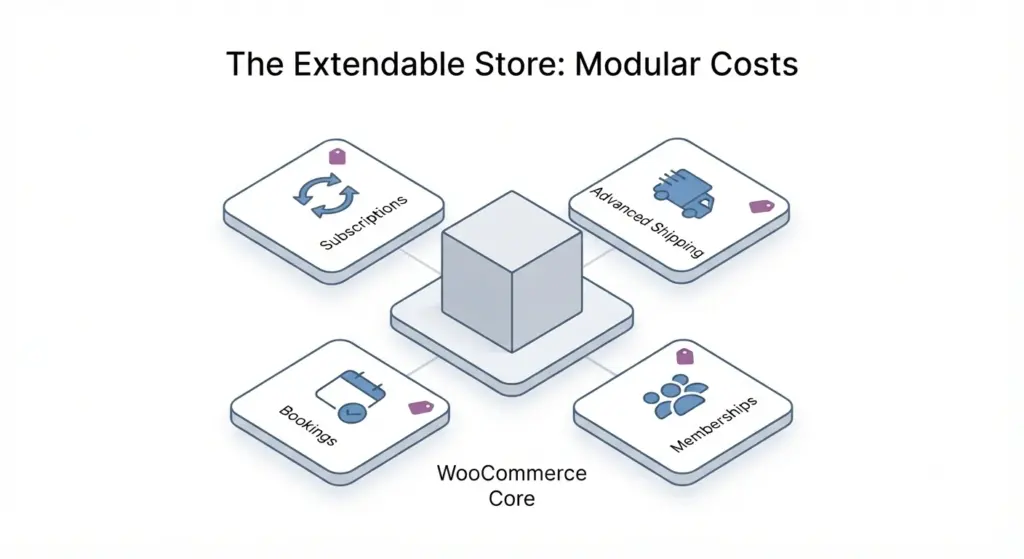
- Core plugin covers basics; real-world stores frequently need additional capabilities:
- Shipping calculators and carrier integrations
- Advanced tax calculation and automated filings
- Subscriptions, memberships, bookings, or recurring billing
- Advanced product options (bundles, composite products, variable pricing)
- Inventory synchronization, multi-currency, or B2B features
- Typical costs: $50–$300+/year per extension. Many stores use multiple paid plugins; costs add up.
Integrations and third-party services
- Email marketing platforms (Mailchimp, Klaviyo, etc.) — free tiers available, but likely paid as lists grow.
- Analytics, CRM, PIM, ERP integrations — pricing varies; can be a significant ongoing cost.
- Shipping label services, fulfillment platforms, and marketplaces often charge additional fees.
Operational & hidden costs :
Maintenance and updates
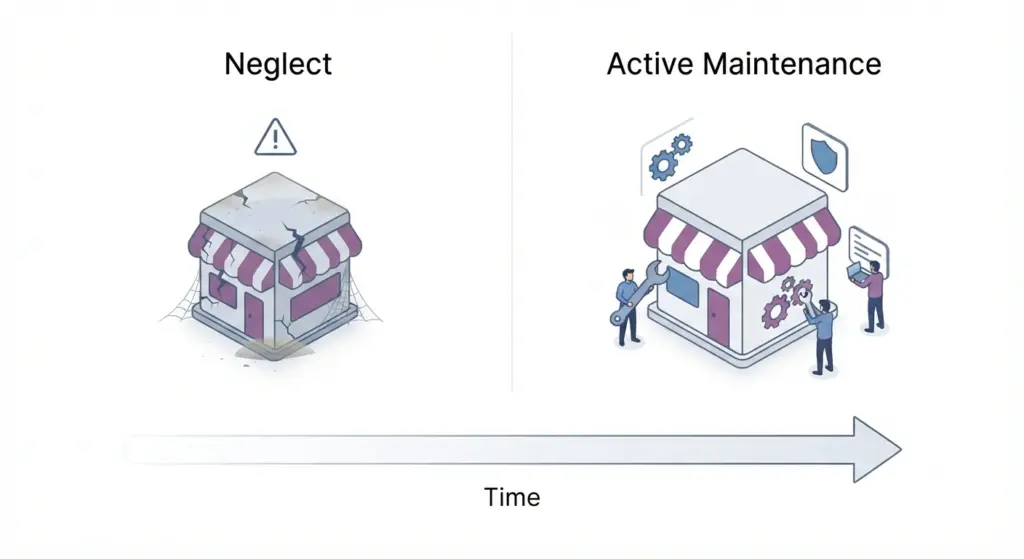
- WordPress core, WooCommerce, themes, and plugins update frequently. Staying current prevents security holes and incompatibilities.
- If you lack technical skills, hire a maintenance provider or developer. Maintenance costs range broadly:
- DIY: your time (often underestimated).
- Freelance or agency: $100–$3,000+/month depending on scope (backups, monitoring, patching, testing, emergency fixes).
- SEO and conversion risk: outdated or conflicting plugins cause downtime or broken checkout flows — direct revenue impact.
Security and backups
- Basic backups and malware scanning may be included with hosting; premium security services cost $100–$1,000+/year depending on coverage.
- Incident response, cleanup, and legal costs can be substantial in case of a breach.
- PCI compliance: while WooCommerce itself doesn’t certify PCI, your payment flow and hosting choices need to align with PCI risk management.
Development and customization
- Off-the-shelf themes and plugins will get you started but custom features require developer time.
- Typical developer rates: $50–$200+/hour. A custom site or advanced features can be a $1,000s–$10,000s investment depending on complexity.
- Ongoing feature work and A/B testing increases costs but can yield higher conversion rates and lifetime value.
Content, marketing, and SEO
- Content: product descriptions, blog posts, videos; you may pay copywriters, photographers, videographers.
- SEO tools and agencies: Ahrefs, SEMrush, Moz subscriptions, or hiring SEO consultants — monthly or annual costs vary widely.
- Paid marketing: Google Ads, Facebook/Meta Ads, influencer fees, affiliates — not required but common for growth.
Typical annual budgets :
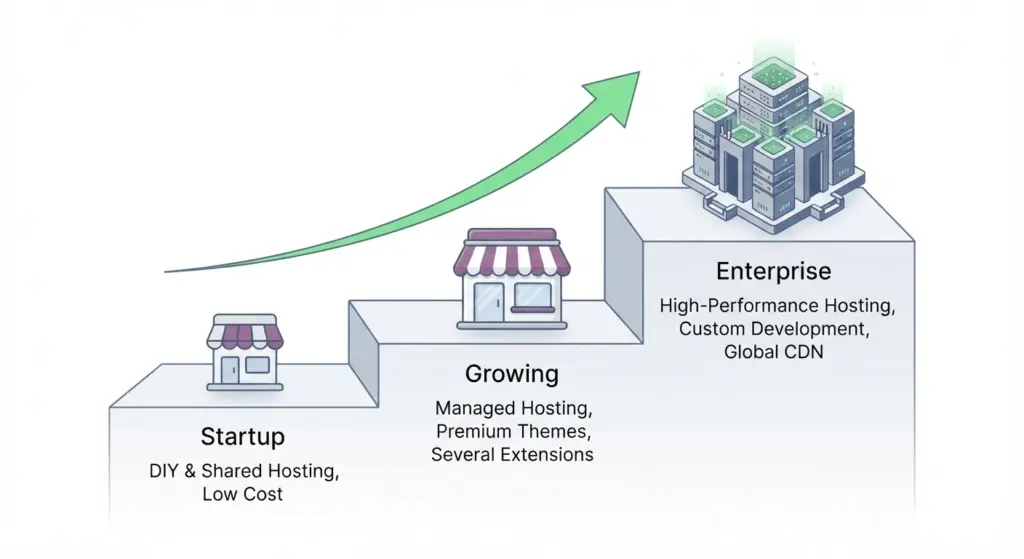
Small startup (lean, DIY)
- Hosting (shared): $60–$180/year
- Domain: $12–$20/year
- SSL: free with Let’s Encrypt
- Theme: free or $60 one-time
- Plugins/extensions: $0–$200/year
- Payment processing: per-transaction fees
- Estimated total: $100–$500/year (excluding marketing and time costs)
- Suitable for: hobbyists, side projects, product tests.
Growing store (professional, scaling)
- Managed hosting: $300–$2,400+/year
- Domain & privacy: $15–$50/year
- Premium theme: $100–$300/year (or one-time)
- Plugins/extensions: $500–$3,000+/year (subscriptions for shipping, subscriptions, CRM, etc.)
- Security and maintenance: $500–$5,000+/year (outsourced)
- Payment processing: per-transaction fees plus possible gateway fees
- Estimated total: $2,000–$30,000+/year depending on scale
- Suitable for: SMBs, stores with moderate traffic, team-managed operations.
Enterprise-level
- High-performance hosting, custom development, integrations with ERP/CRM, dedicated security, conversion optimization, and marketing teams.
- Costs rapidly scale into tens or hundreds of thousands per year depending on traffic, complexity, and team size.
Advantages of WooCommerce :
Full ownership and portability
- You control the codebase, product data, and customer info. If you leave a hosting provider, you can migrate your store.
- No vendor lock-in: unlike closed SaaS marketplaces, you can modify things freely.
Extensibility and large ecosystem
- Thousands of free and paid extensions and plugins. Developers and agencies familiar with WordPress are abundant.
- Ecosystem advantage: mature integrations for shipping, payments, marketing, and analytics.
Content-first approach (SEO-friendly)
- Built on WordPress, WooCommerce benefits from WordPress’ content management, which is excellent for SEO-driven organic growth through blogging, resources, and product content.
Cost control and flexibility
- Small stores can remain relatively inexpensive if you keep things simple.
- As you scale, you can invest in precisely the features you need rather than moving up pricing tiers on a SaaS platform.
Drawbacks and challenges :
Responsibility for technical maintenance
- You must manage updates, compatibility, backups, and security unless you hire maintenance services.
- Plugins can conflict — careful testing is required before applying updates on production stores.
Fragmented costs and complexity
- Unlike SaaS platforms with a predictable monthly fee, WooCommerce stores often have multiple annual subscriptions and vendors — budgeting becomes more complex.
Scaling can require technical expertise
- Very high-traffic stores need caching, CDNs, database tuning, load balancing, and specialized hosting — all require technical know-how or an agency.
Higher upfront or development costs for complex features
- SaaS solutions often include built-in features (subscriptions, marketplaces, analytics) that are paid add-ons in WooCommerce and might need custom development.
When WooCommerce is the right choice :
You should choose WooCommerce if:
- You want granular control over design, data, and features.
- You value ownership and the ability to customize without platform constraints.
- You’re comfortable learning basic web administration or can hire technical help.
- You plan to use content marketing or SEO as a primary growth channel.
Consider alternatives if:
- You want a hands-off, fully managed storefront with predictable monthly billing (e.g., Shopify, BigCommerce).
- You cannot or do not want to manage updates, security, and integrations.
- You need out-of-the-box enterprise features with managed scaling and SLAs (some SaaS platforms offer easier scaling).
Practical checklist — launching a WooCommerce store (step-by-step)
Pre-launch essentials
- Choose a domain and register it.
- Select hosting appropriate for expected traffic (start small, plan to upgrade).
- Install WordPress and the WooCommerce plugin.
- Install a lightweight, responsive theme optimized for speed and SEO.
- Configure SSL (Let’s Encrypt or paid certificate).
- Install and configure payment gateways (Stripe, PayPal, or merchant account).
- Set up shipping methods, taxes, and legal pages (privacy policy, terms of service, refunds).
Security, backup & testing
- Set up automated backups and test restore procedures.
- Add a web application firewall (WAF) and malware scanning.
- Test purchases, different payment methods, coupon codes, emails, and mobile UX.
- Configure monitoring and uptime alerts.
Performance & SEO
- Install caching and consider a CDN (Cloudflare or similar).
- Optimize images and use lazy loading.
- Implement structured data for products (schema.org) for enhanced SERP visibility.
- Create keyword-focused product pages, meta tags, and unique product descriptions.
Post-launch operations
- Monitor transactions, orders, and abandoned carts.
- Implement email capture and marketing automation.
- Track revenue, conversion rates, and marketing ROI.
- Regularly update themes, plugins, and WordPress core in a staging environment first.
Cost-saving tips :
Start lean and scale intentionally
- Begin with free or low-cost themes and essential plugins. Add paid extensions only when they deliver measurable ROI.
Use combined plugins or multi-purpose extensions
- Choose well-reviewed multi-purpose plugins that bundle features (ex: shipping + tracking) rather than multiple single-feature paid plugins.
Leverage free marketing channels first
- Organic SEO, social media, and partnerships can reduce early paid acquisition costs.
Consider managed hosting with included services
- Some managed WooCommerce hosts include backups, staging, and security, reducing third-party costs and simplifying maintenance.
Negotiate developer work or use agencies on retainer
- If you foresee ongoing tweaks, a monthly retainer can be more cost-effective than ad-hoc hourly work.
SEO considerations for a WooCommerce store
Technical SEO basics
- Fast load times: hosting, caching, image compression, and minimized scripts.
- Mobile-first design: most traffic is mobile; responsive theme is essential.
- Clean product URLs, canonical tags, and proper hreflang for multi-language sites.
On-page SEO for products
- Unique product titles and descriptions; avoid manufacturer-supplied duplicate content.
- Use high-quality images with alt attributes.
- Implement reviews and schema markup for product ratings to increase CTR in SERPs.
Content & link-building
- Use blogs, guides, and resource centers to drive organic traffic and internal links to product pages.
- Build industry relationships, guest posts, and outreach to earn backlinks for authority.
Migration, backups and exit strategy
Your data belongs to you
- Export tools, database dumps, and product CSV exports let you move between hosts or platforms.
- Keep a tested backup and migration procedure to avoid data loss.
When to migrate away from WooCommerce
- If maintenance overhead becomes too large relative to revenue.
- If you need turnkey scaling and are willing to trade some control for convenience (SaaS platforms).
- If compliance or infrastructure requirements demand a fully managed, certified environment.
Final decision : is WooCommerce free for you?
- The plugin itself: free and open-source — yes.
- A public, secure, and professional online store: not free — expect to pay for hosting, domain, payment processing, and many useful extensions.
- Small hobby stores can launch with minimal cost (hundreds per year). Established or growing businesses should budget thousands to tens of thousands annually for hosting, plugins, security, development, and marketing.
- The trade-off: WooCommerce offers unmatched control and ownership but requires time, technical responsibility, or budget to outsource those tasks.
Quick FAQ
Does WooCommerce charge transaction fees?
- No. WooCommerce does not charge transaction fees; payment processors do.
Can I use WooCommerce without coding skills?
- Yes — basic stores are manageable without coding, but customizations, performance tuning, or complex integrations usually require technical help.
Is hosting included with WooCommerce?
- No. WooCommerce does not provide hosting. You must buy hosting separately.
Can I migrate from Shopify to WooCommerce?
- Yes. There are tools and services to migrate products, customers, and orders; expect development hours for a smooth migration.
Are there free themes and plugins that make a store viable?
- Yes — numerous quality free options exist. Yet, many stores adopt paid themes/plugins for advanced features, support, and reliability.
Closing thoughts
WooCommerce is “free” in the narrow sense that the core software costs nothing. In practice, a functioning online store requires investment: hosting, a domain, security, payment processing, and often paid plugins or developer support. That investment varies widely depending on your ambitions. For DIY founders and small merchants who value control and content-driven growth, WooCommerce is one of the most flexible and cost-effective long-term paths. For teams that prefer predictable, fully managed experiences, a SaaS e-commerce platform may be a better fit.