WordPress speed optimisation is one of the highest-leverage improvements you can make to a website because it affects user experience, SEO, conversion rate, and operational stability at the same time. The fastest wins usually come from fixing hosting, caching, images, and JavaScript before moving into deeper technical cleanup.
Why speed matters

A slow WordPress site creates friction at every step of the customer journey. Visitors are more likely to bounce, pages may rank less competitively when performance is poor, and your server has to work harder for every request. Core Web Vitals-focused optimization also means you are not just chasing “load time,” but improving how quickly content becomes visible and usable.
For business sites, the goal is not to make every page theoretically perfect. The real objective is to remove the biggest bottlenecks so that important pages load fast enough for real users on real devices. That is why a performance budget is useful: it keeps design and feature decisions aligned with speed targets.
What to fix first
The best approach to wordpress speed optimisation is to follow the order of impact, not the order of convenience. Start with the server layer, then caching, then frontend payload, then database and plugin cleanup. This sequence reflects the common advice across current WordPress performance guides.
High-impact priorities include:
- Use a quality host with modern server features and edge caching.
- Add full-page caching so WordPress does not rebuild every page on every visit.
- Serve images in modern formats like WebP or AVIF and lazy-load below-the-fold media.
- Defer non-critical JavaScript to reduce render-blocking and improve interaction readiness.
- Use a CDN such as Cloudflare to reduce latency and improve delivery of static assets.
Hosting and caching
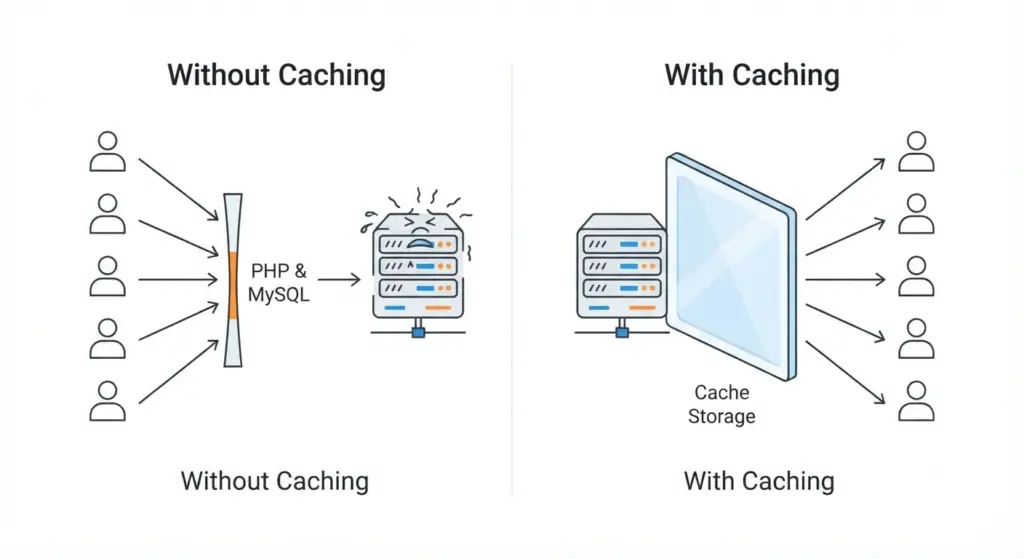
Hosting is the foundation of site speed because it influences response time, uptime, and how well your site handles traffic spikes. A weak host can undermine every other optimization effort, while a strong one gives your caching and asset delivery layers room to work effectively.
Caching is usually the next major win because it avoids generating each page dynamically for every request. Page caching, object caching, and preload strategies can significantly reduce server load, especially on content-heavy sites and WooCommerce stores.
Practical setup notes
- Enable page caching through a reputable plugin or host-level solution.
- Avoid “double caching” where host and plugin settings conflict.
- Add object caching if your host supports Redis or Memcached.
- Test the result after every change so you can isolate what actually improved performance.
Image and media delivery
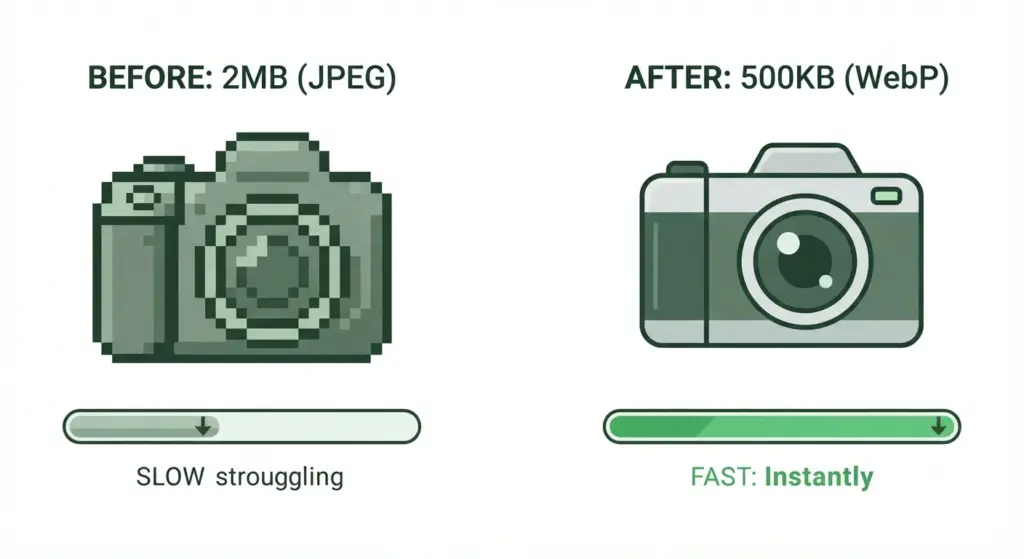
Images are often the heaviest part of a WordPress page, especially on homepages, service pages, and product galleries. Converting images to WebP or AVIF, compressing them properly, and lazy-loading non-essential visuals can reduce initial page weight without hurting presentation quality.
A good rule is to treat every image as a cost. If it is not essential above the fold, delay it; if it is oversized, resize it; if it is outdated, replace it. This is especially important for e-commerce sites with many product images and category banners.
JavaScript and CSS cleanup
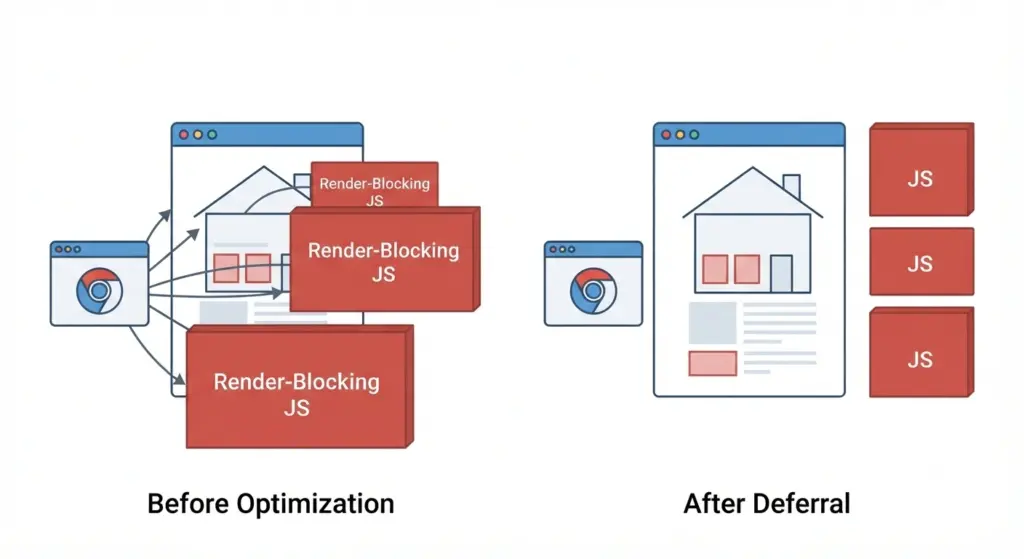
JavaScript is often the hidden reason a site feels slow even when the pages look simple. Third-party scripts such as chat widgets, trackers, sliders, and tag managers can delay rendering and hurt interaction timing, which is why deferring or delaying non-critical JavaScript is one of the most valuable optimizations.
CSS also needs attention because unused or render-blocking styles can slow first paint. Removing unused CSS, inlining critical CSS, minifying assets, and reducing theme bloat all help the browser present content sooner.
Common cleanup targets
- Heavy sliders and carousels.
- Unused theme features.
- Plugin scripts loaded site-wide but needed on only a few pages.
- Large CSS bundles with unused rules.
- External embeds that could be replaced with lighter alternatives.
Database and plugin health
A crowded plugin stack can make WordPress slower in ways that are not obvious from the front end. Every extra plugin increases the chance of extra queries, additional scripts, more CSS, and more maintenance overhead.
Database optimization matters too, particularly for sites with frequent content updates, revisions, WooCommerce orders, and large comment histories. Cleaning revisions, optimizing tables, and reducing unnecessary database calls can improve backend efficiency and help cached and uncached pages respond faster.
Measuring progress
Speed work should be measured, not guessed. The most useful approach is to establish a baseline, make one category of change at a time, and re-test on representative pages such as the homepage, a service page, a blog post, and a product page.
Useful metrics to track include:
- Largest Contentful Paint.
- Interaction to Next Paint.
- Time to First Byte.
- Total page weight.
- Number of requests.
- Conversion rate after performance changes.
You can also frame results in a case-study format such as: “After reducing page weight by X%, improving server response by Y ms, and deferring third-party scripts, the site saw a measurable lift in engagement and conversions.” That gives your agency content a credible, data-driven structure without inventing numbers.
Implementation roadmap
A simple roadmap keeps wordpress speed optimisation manageable for most businesses. First, fix hosting and caching. Second, reduce image and script weight. Third, clean up plugins, database overhead, and theme bloat.
- Audit the site with a performance tool and record baseline metrics.
- Improve hosting or server-level caching if needed.
- Compress, resize, and modernize images.
- Defer or delay non-essential JavaScript.
- Remove unused plugins, CSS, and theme features.
- Add a CDN and verify caching headers.
- Re-test critical pages after every major change.
FAQ
What is the biggest cause of slow WordPress sites?
The most common causes are weak hosting, poor caching, oversized images, too many scripts, and plugin bloat. In many cases, the problem is not one issue but a stack of small inefficiencies adding up.
Does WordPress speed affect SEO?
Yes. Faster sites generally create a better user experience and are easier for search engines to interpret and crawl efficiently. Speed is not the only ranking factor, but it is a meaningful technical advantage when combined with strong content and clean site architecture.
Should I use a caching plugin on every site?
In most cases, yes, but it should be configured carefully and not duplicated with conflicting host-side caching. The best setup depends on your server stack, traffic patterns, and whether you run a simple brochure site or a dynamic store.
How often should speed be checked?
Check it after any major theme, plugin, hosting, or content change, and also on a regular schedule. Performance can drift over time as scripts, media, and plugins accumulate.
A professional WordPress performance audit can reveal the most profitable fixes quickly, especially if your site has already outgrown a basic setup. If you want help with wordpress speed optimisation, our agency can turn that into a focused, measurable improvement plan.