WordPress Maintenance Plans
WordPress maintenance plans are ongoing service packages that keep your website secure, updated, fast, and backed up, handled by professionals so you don’t have to. In plain terms, they’re a regular tune-up subscription for your site, covering everything from software updates and security monitoring to backups, speed optimization, and emergency fixes when something breaks.
Now think back to the day you launched your website. You picked the fonts, argued with yourself over the shade of blue in the header, rewrote the homepage copy four times, and finally hit publish. It felt like crossing a finish line. And honestly, that feeling is completely understandable. But here’s the thing most people don’t realize until something breaks: launching a website isn’t the finish line. It’s more like driving a brand new car off the lot. The real work, the upkeep, starts the moment it hits the road.
A lot of business owners treat their site like a printed brochure. You make it once, and it just sits there doing its job forever. WordPress doesn’t work that way. It’s living software, and software that nobody looks after quietly rots. So let’s talk honestly about why ongoing care matters, what it actually costs, and whether you should be handling any of this yourself.
What’s Actually Happening
Before we get into the why, it helps to understand what your site really is. Old-school websites were just static files sitting on a server. WordPress is different. It’s a dynamic system that builds your pages on the fly every time someone visits, pulling content from a database and stitching it together in real time.
And it’s not one piece of software. It’s a stack of them, all built by different people, all updating on their own schedules.
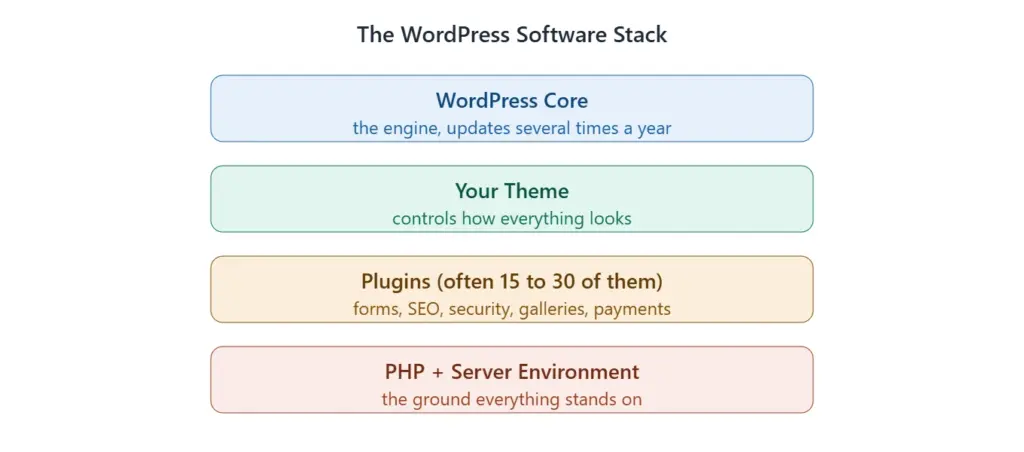
Every layer has to play nicely with the ones above and below it. The trouble is that they’re all moving targets. A plugin developer pushes an update on Tuesday. WordPress core updates next month. Your host bumps the PHP version without much warning. Update one layer and forget the others, and suddenly the pieces stop talking to each other. That’s how you end up staring at the dreaded white screen of death.
The Security Problem Nobody Thinks Applies to Them
Here’s a conversation I have constantly. A business owner says, “Why would anyone bother hacking my little site? I’m not a bank.” It feels like a reasonable question. It’s also exactly the kind of thinking that gets sites compromised.
Hackers aren’t sitting at a desk hand-picking targets. They’re running automated bots that crawl the entire internet, around the clock, looking for one thing: a known weakness in a popular plugin or an outdated version of WordPress. When a vulnerability gets discovered and published, those bots immediately start hunting for every single site still running the unpatched version. Your site’s size is irrelevant. Its outdated software is the only thing they care about.
And the damage is real. Once they’re in, they can inject spam links, steal customer data, redirect your visitors to sketchy pages, or quietly use your server to blast out millions of spam emails. Worse, Google will often slap a big red warning on your site in search results, and that warning sticks around long after you’ve cleaned things up.
Let’s talk about what a hack actually costs, because the numbers tend to wake people up. Professional malware cleanup typically runs anywhere from $200 to $500 for a straightforward case, and $1,000 or more for a serious breach involving e-commerce or customer data. That’s before you count the lost sales while your site is offline and the damage to your reputation. Compare that to a maintenance plan that prevents most of it in the first place, and the math starts speaking for itself.
Why Loading Speed Is Quietly Costing You Customers
Speed isn’t just a nice-to-have. It’s tied directly to whether people stick around and whether Google ranks you. The data here is pretty brutal. Google’s own research found that as page load time goes from one second to three seconds, the chance of someone bouncing jumps by 32%. Push it to five seconds and that probability of bounce climbs by 90%.
Here’s the slow creep that gets most sites. Every draft you save, every image you upload, every plugin you trial and delete leaves behind digital clutter. Your database bloats with old revisions. Your media library fills with uncompressed images. Caching falls out of date. None of it is dramatic on day one, but six months in, your snappy little site has turned sluggish, and you’ve probably lost rankings without ever realizing why.
Keeping a site fast is basically housekeeping: cleaning out junk database tables, caching pages so they load instantly, compressing images, and staying on a modern, stable version of PHP. Boring work, but it directly protects your conversions.
When Things Quietly Break Without Telling You
Technology never sits still. Browsers like Chrome and Safari update constantly. Servers upgrade their software. Payment gateways tighten their security standards. If your site’s code stays frozen while everything around it moves forward, parts of it eventually stop working.
The frustrating part is that these breakages are often silent. A contact form that worked perfectly last year suddenly stops delivering inquiries because of a mail protocol change. A checkout page freezes because a payment processor updated its standards and your old plugin can’t keep up. There’s no error message, no alert. You just notice, weeks later, that the leads dried up or sales mysteriously dipped. Regular testing is what catches these things before they cost you.
Backups Are Only Real If They Actually Restore
Almost every host advertises automatic backups, and that line lulls a lot of people into a false sense of security. The problem is that if the server itself fails, or your hosting account gets compromised, your backups can go down right alongside your live site. They’re sitting in the same place.
A proper backup strategy lives somewhere else entirely, like a separate cloud storage service, and it gets tested. That second part matters more than people think. Backup files corrupt more often than you’d hope, and there’s nothing worse than reaching for your safety net in a crisis only to find it has a hole in it. A good care routine doesn’t just schedule backups, it periodically restores one to confirm it actually works.
What a Real Maintenance Plan Covers
A genuine maintenance plan isn’t just a folder of automated tools running on autopilot. The automation handles the routine monitoring, sure, but the real value is the human expertise behind it. Here’s how a complete update and backup workflow actually runs, which is very different from just clicking the update button and hoping.
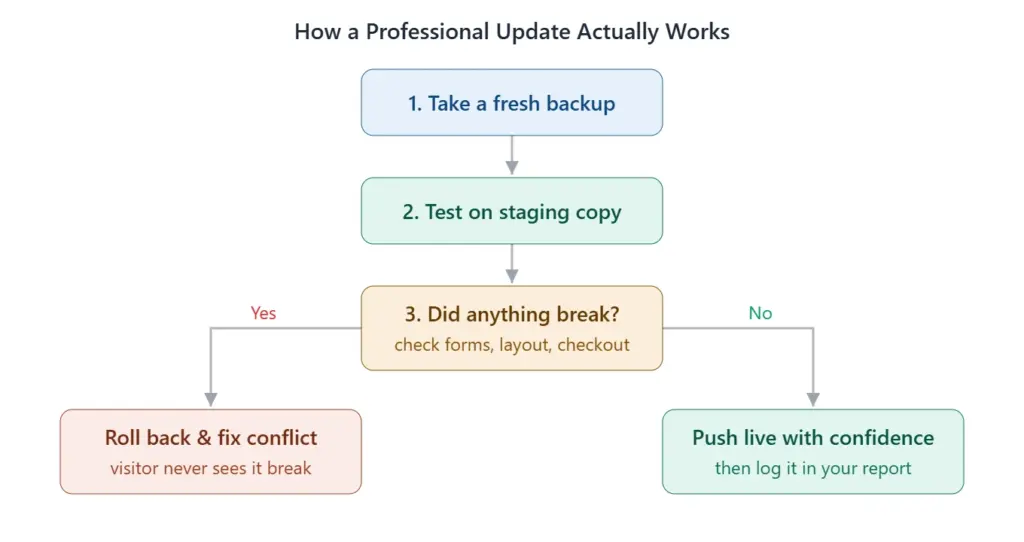
Beyond updates, a strong plan includes managed firewalls that block bad traffic before it reaches you, file integrity monitoring that flags any unauthorized change to your core files, and crucially, hack remediation, meaning that if a breach does slip through, a team cleans it up at no extra charge. It also covers performance tuning with caching and database cleanups, and uptime monitoring that pings your site every few minutes so a technician knows it’s down at 2 a.m. before your customers do.
Real Costs: What You’ll Actually Pay
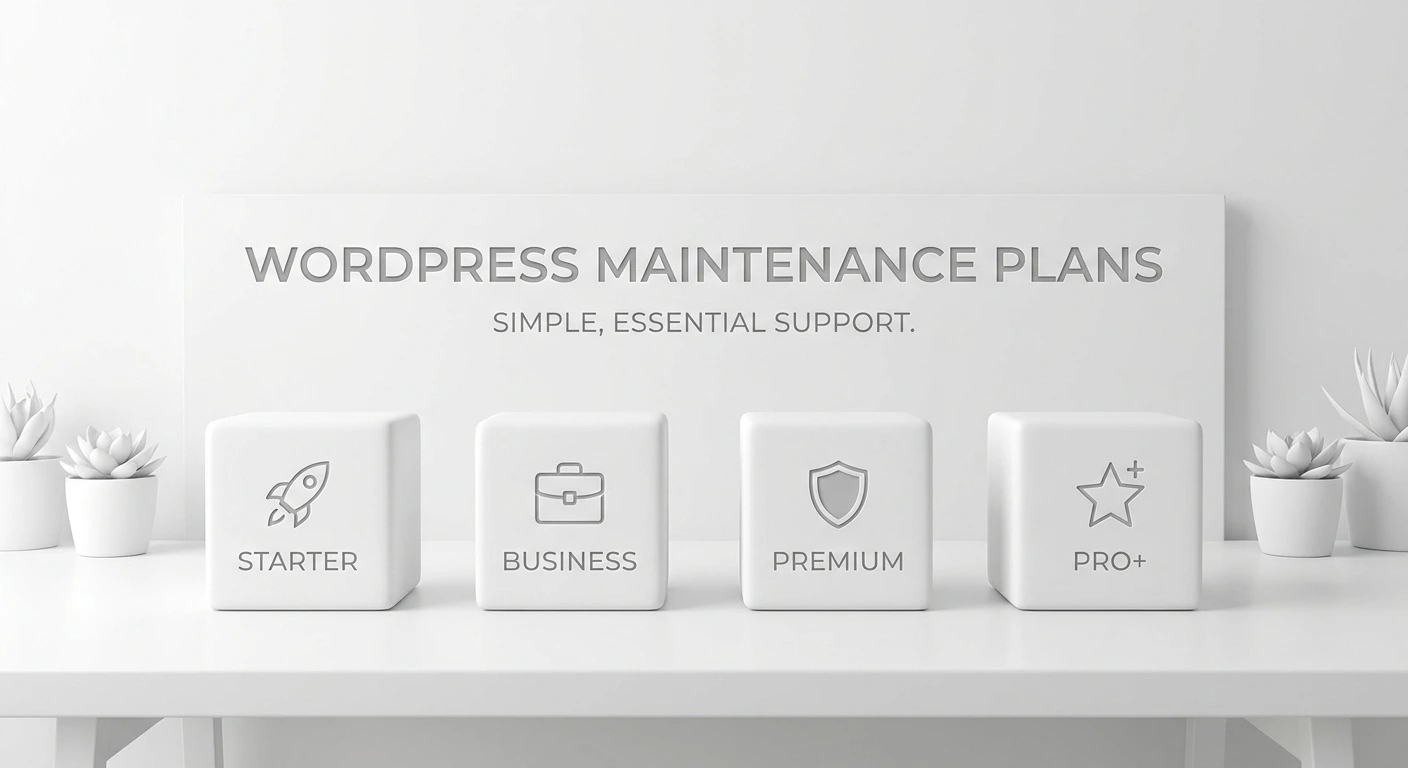
This is the part people genuinely want to know, so let’s lay out actual market numbers rather than vague ranges. Maintenance plans generally sit in three tiers, and here’s roughly what they run per month.


Now, why such a wide spread within each tier? It comes down to how much human involvement and how much risk is on the line. Let me break down who each one is really for.
The Essential Tier
This is for simple sites: a personal blog, a portfolio, a small informational site that doesn’t change much. At $15 to $50 a month, you’re getting automated updates, baseline security, and off-site backups. It’s largely hands-off automation. The honest catch is that if an update breaks something, there often isn’t a human watching, so fixing it tends to land back on you. Still, for a low-stakes site, it’s a sensible safety net.
The Professional Tier
This is the sweet spot for most small businesses, service providers, and busy blogs that actually generate leads. At $75 to $200 a month, a real person reviews your site, runs updates carefully, checks that pages still look right, and optimizes speed. Most plans at this level also throw in a set amount of monthly support time, so small text tweaks, image swaps, or little design requests don’t come with a separate invoice every time. It’s the balance of safety and value that fits the majority of businesses.
The Premium and E-commerce Tier
If you’re running a WooCommerce store, a membership site, or anything where downtime directly equals lost money, you’re in a different world. At $300 to $1,000+ a month, you’re paying for near-constant monitoring, priority response times, careful handling of transactional data, and proper staging tests where checkout and payment flows get verified before anything touches the live store. For a shop doing real daily revenue, this isn’t an expense, it’s protection for the thing that pays your bills.
So, Should You Just Do It Yourself?
It’s a fair question, especially when you’re watching expenses. WordPress makes updates look easy. A notification pops up, you click a button, done. What’s so hard about that?
The catch is in everything you can’t see. Let’s be honest about the three real costs of going it alone.
First, time. This isn’t a one-time chore. It’s a weekly commitment that doesn’t pause when you’re on holiday or buried in client work. Verifying backups, checking for malware, watching speed, running updates carefully. Your hours are almost always worth more spent on actual customers than on server logs.
Second, the knowledge gap. Clicking update is easy. Knowing what to do when that update returns a blank white screen is not. You’d need to know how to log in through secure file transfer, find the broken code, disable it, and restore the site, all while your business sits offline. Without that background, you can lose hours digging through forums during the worst possible moment.
Third, the mental load. When you run your own site, you’re the one on the hook if it gets hacked or the database corrupts. There’s a quiet weight to that. Handing it to a team means you can actually shut your laptop at night knowing someone competent is watching.
Here’s the simplest way to decide. Ask yourself one question: how much would a single hour of downtime cost my business? If the answer is “more than a month of maintenance,” then a professional plan isn’t really an expense at all—it’s an insurance policy on your revenue. If you aren’t sure where to start, you might want to hire a WordPress developer in the UK to assess your current setup and handle the heavy lifting for you.
How to Pick the Right Partner
Once you decide to hand this off, not all providers are equal, and a few pointed questions sort the good ones from the mediocre fast.
Ask how they run updates. You want someone who tests on a separate staging copy, not someone experimenting directly on your live site. Ask about backups specifically: how often, where they’re stored, and how long they’re kept. And pay attention to communication. A good provider sends you a clear monthly report showing exactly what was updated, how many threats got blocked, how your speed is holding up, and what your uptime looked like. That report is proof your money is actually doing something, and it lets you get back to the part you’re good at, which is running your business.