Wix vs WordPress: Which Platform Should You Choose in 2026?
It’s a surprisingly heated debate. Spend ten minutes online and you’ll find people who’d defend Wix to their last breath, and others who insist WordPress is the only grown-up choice. The funny part? They’re both kind of right. These two platforms aren’t really fighting for the same person. They just suit different kinds of people.
So that’s what we’ll figure out here, which one is right for you. We’ll go through features, pricing, design, SEO, the whole lot, and finish with a dead-simple way to decide. But if you’re impatient (no judgment), here’s the gist:
- Wix is built for simplicity, speed, and convenience.
- WordPress is built for flexibility, ownership, and room to grow.
Hold onto that one line. Honestly, everything below is just me backing it up so your choice feels obvious by the end.
A Quick Look at Wix vs WordPress
Before we get into the weeds, it helps to see the whole thing at a glance.
| Feature | Wix | WordPress.org |
|---|---|---|
| Ease of Use | Very high (drag-and-drop) | Moderate (bit of a learning curve) |
| Control | Limited to the platform’s tools | Practically infinite (self-hosted) |
| Maintenance | Handled by Wix | You’re in charge |
| Costs | Monthly subscription | Hosting + plugins + themes |
| Scalability | Great for small to medium sites | Excellent at any size |
| Ownership | You rent the space | You own everything |
Already you can probably feel the difference in personality. Let’s unpack it.
Wix: The Easy, Polished Route
Let’s start with Wix on its own.
Wix is a website builder. In plain terms, you sign up, pick a template, drag bits and pieces around the page, and you’ve got a live website in minutes. Everything sits in one place, hosting, security, updates, all of it. You don’t go shopping for a separate hosting plan or wrestle with technical setup. Wix just handles it.
And honestly, the idea is brilliant. The whole pitch is that someone who’s never touched a line of code can still end up with a professional-looking site. For a lot of people, that’s exactly the dream.
Why People Love Wix
There’s a reason so many small business owners reach for it. A few, actually.
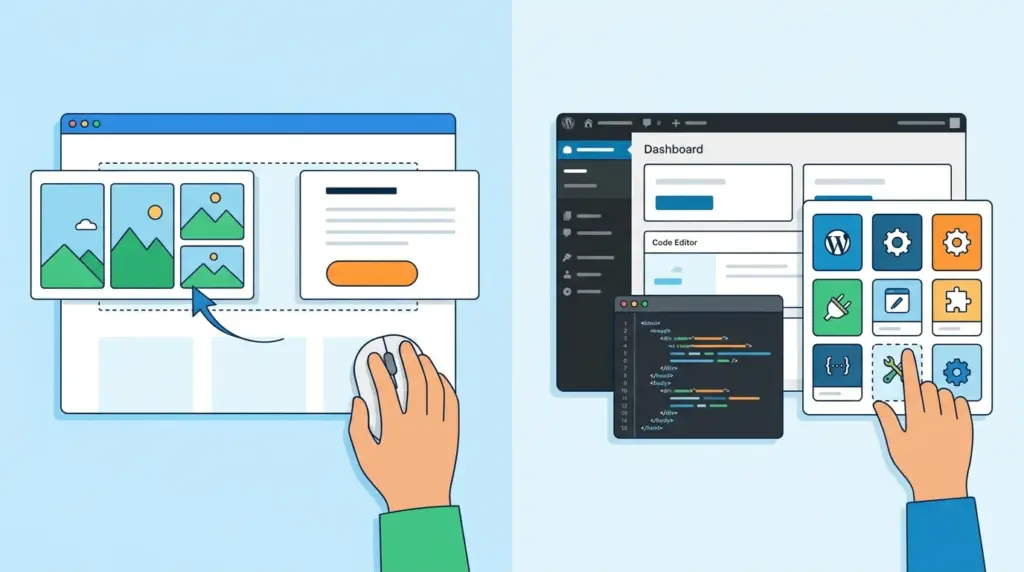
The drag-and-drop editor. No installs, no week-long crash course in “how websites work.” You grab a template, drag elements where you want them, tweak the colors and fonts, and that’s basically it. What really sets Wix apart is the layout freedom. Want that button two inches to the left? Done. It’s genuinely what-you-see-is-what-you-get.
Peace of mind. Wix runs almost everything in the background. Software updates, server hiccups, security, even backups, it’s all taken care of for you. If you’re a business owner already juggling a dozen things, not having to think about any of that is worth real money.
The App Market. Need a booking calendar for your salon? A little online store? Live chat? Analytics? Payment processing? The Wix App Market has hundreds of apps, and adding most of them is a few clicks. No headaches, no developer on speed dial.
Where Wix Starts to Feel Tight
It’s not all sunshine, though. A few trade-offs worth knowing before you commit.
You’re locked in. This is the big one. Because your site lives entirely on Wix’s platform, there’s no easy door out. You can export some content, like your blog posts, but moving your whole site and its design somewhere else? That basically means rebuilding from scratch. Think of it like renovating a rented apartment, it can look amazing, but you can’t take the built-in shelves with you when you leave.
Scalability has a ceiling. For small and medium sites, Wix is fantastic. But push it toward a massive, enterprise-level project with thousands of pages and complex structures, and you’ll eventually feel the walls.
You’re tied to your template. Here’s the one that catches people off guard. Once you pick a template, switching to a totally different one later is a real hassle, often it means rebuilding a chunk of your site. So choose carefully up front. It matters more than it seems.
WordPress.org: The Powerhouse
Now for the other side of the ring.
WordPress is a content management system, and it’s everywhere. As of 2026, it powers roughly 41.9% of all websites on the internet, according to W3Techs. That’s not a typo. Nearly half the web runs on it. People love it for the flexibility, the SEO muscle, and the sheer “you can do almost anything” factor.
Quick but important note: the software is free to download and you install it on your own hosting. That self-hosted version is WordPress.org, and it’s not the same as WordPress.com, which is a hosted service that’s actually a lot more like Wix. If you’re fuzzy on how these two differ, we break it all down in this guide. When people talk about how powerful WordPress is, they almost always mean .org. That’s the version we’re talking about here.
What Makes WordPress So Good
The list of upsides is long, but here are the ones that matter.
Total freedom. Want to design your site your way? Add features from tens of thousands of plugins? Build pages exactly as you picture them? Go for it. There’s no real ceiling. And if you know your way around code (or hire someone who does), you can crack open the source and build something genuinely one-of-a-kind. The official plugin directory alone has over 60,000 free plugins, so the toolbox is huge.
You actually own it. This is a quiet but massive perk. Everything is yours. No company can force you to migrate, change how you work, or pull the rug out from under you. Want to switch hosts? Go ahead. Want to move the whole thing? Nobody can stop you. For a business planning to stick around, that kind of ownership is hard to put a price on.
SEO that goes deep. This is where WordPress really flexes. Between its clean code and powerful free plugins like Yoast SEO and Rank Math, it’s widely considered one of the best platforms out there for search optimization. You can fine-tune endlessly and give yourself a real shot at ranking.
The Downsides of WordPress
It’s not flawless either. A few honest drawbacks.
There’s a learning curve. WordPress isn’t hard, but it’s not point-and-click either. You’ll spend some time figuring out plugins, themes, the dashboard, and the occasional “why isn’t this working” moment. The good news is it usually clicks faster than people fear.
Maintenance is on you. Unlike Wix, WordPress doesn’t babysit your site. Updates, backups, security, that’s your job now. The silver lining? You can automate most of it with a few solid plugins, and plenty of managed hosting plans will shoulder the load for you.
Security needs attention. Being the most popular CMS on earth means WordPress is a favorite target for hackers, that’s just the reality of being the biggest. It’s not inherently unsafe, though. Tons of huge, rock-solid sites run on it. Use good hosting, keep things updated, install a decent security plugin, and you’ll be fine. Just don’t ignore it.
What Do They Actually Cost?
Money’s usually the tiebreaker, and this is where the two platforms differ in shape, not just the number on the bill.
Wix keeps it clean. You pay a monthly or yearly subscription, and pretty much everything’s bundled in, hosting, security, software, all of it. One predictable payment, no nasty surprises. (You might pay extra for certain premium apps or a custom domain, but broadly, it’s one tidy bill.) If unpredictable expenses make you twitchy, that simplicity is a genuine relief.
WordPress is more of a build-your-own-meal situation. The software’s free, but free software still needs a paid roof over its head. You’ll need hosting, and depending on what you’re after, maybe a premium theme and a few premium plugins. Tally it up and a WordPress site might cost a little less than Wix, or a little more. It honestly depends on your choices, and it’s tough to predict ahead of time.
The real takeaway? Wix wins on predictability. WordPress wins on flexibility. Pick your priority.
Ease of Use: Which One Will Frustrate You Less?
Let’s be real, for most beginners, this is the deciding factor.
Wix is easier. Not by a little, by a lot. You’ll spend way less time setting up and designing. Drag, drop, launch. Done.
WordPress asks more of you upfront, you’ll pick a host, install the software (usually a one-click affair these days), set up a theme and menu, and learn your way around the dashboard. None of it takes ages, but some folks just don’t want to deal with it. Fair enough.
So “which is easier?” really only has one answer. The better question is: how much ease are you willing to trade for control?
Design and Customization: Precision vs. No Limits
Here’s the truth, you can build a genuinely beautiful site on either platform. Anyone who tells you otherwise is selling something.
The difference is in how you get there. With Wix, you tweak nearly every element on a pixel level, right inside the editor, with instant visual feedback. With WordPress, you start from themes loaded with options, and since you can dive into the code, the ceiling is basically nonexistent. Need something truly unique? WordPress probably edges it out.
Funny flip side, though: changing templates in Wix is a slog, while swapping themes in WordPress is usually pretty painless.
Bottom line: Wix gives you precision inside its sandbox. WordPress gives you near-limitless freedom.
SEO and Traffic: Which One Ranks Better?
If getting found on Google matters to you, read this part twice.
Both platforms have come a long way on SEO over the last decade, and both ship with genuinely good tools now. If you’re not doing anything wild, Wix has plenty, you can edit titles, meta descriptions, image alt text, and URL slugs on every page and post. For most everyday sites, that’s more than enough to compete.
But if you’re building something big or content-heavy, and search traffic is the lifeblood of your business, WordPress is the stronger horse. Cleaner code, plus plugins like Yoast and Rank Math that let you optimize in serious detail and pivot fast when algorithms shift.
Rule of thumb: Wix SEO is plenty for most sites. WordPress SEO is the call when search is your backbone.
Maintenance and Security: Who’s Watching Your Site?
This is one of those quiet categories that gets very loud the second something breaks.
With Wix, maintenance is basically invisible. Security, backups, updates, all handled. If something goes sideways, it’s their problem, not yours. You just get on with your day.
With WordPress, that’s all on you. Updates, backups, security, your responsibility. The upside? You can automate most of it with the right plugins (UpdraftPlus for backups, for instance) and you’re never at the mercy of one company’s decisions. Something needs changing? Change it. No waiting around for a provider to push a fix. Whether that’s a chore or a perk really depends on your personality.
Short version: WordPress hands you control. Wix hands you a worry-free experience.
So… How Do You Actually Choose?
We’ve covered just about everything. Now it comes down to one honest question. Which of these sounds more like you?
Go With Wix If…
You’re a small business owner, a creative, or a freelancer who just needs a clean, professional site live as fast as humanly possible. If “server maintenance” makes you a little queasy, if you have zero interest in learning code, and if you’re perfectly happy letting Wix carry the technical weight, this is your platform. It’s made for people who want things to just work.
Go With WordPress If…
You’re building something meant to grow, a big membership site, a serious online store, a content machine. You want full control and true ownership of your content and data. And you’re either willing to spend a little time learning the ropes, or you’ve got the budget to hire someone who already has. If that’s you, WordPress is the one.
The Bottom Line
So which wins in the end? Honestly? I don’t think this was ever really a fight.
There’s no universal “winner” here, and that’s a good thing. Wix is for people who want simple and reliable. WordPress is for people who want freedom and room to grow. Both can give you a site you’re genuinely proud of.
The whole game is being honest with yourself, how much do you want to manage, and how much do you want handled for you? Answer that, pick your platform, and go build the thing. Don’t lose another week stuck comparing. The best platform is just the one that actually gets your site live and working for you.