Squarespace VS WordPress as the WordPress emerges to be an excellent choice for enterprises that aim to develop independently, sustainably, and grow beyond 2026, as it rids them of the so-called “rebuild tax” and grants them unlimited scale, SEO control, and full control over data, whereas Squarespace fits perfectly into a static stage one solution with minimal or non-existent engineering capabilities needed.”
Squarespace or WordPress (2026)
Besides impacting the technical aspects of your website, this choice impacts your future; thus, you need to think about it seriously. Here is a brief conclusion about
which service to pick up:
Choose Squarespace if :
A validation stage when you have to launch a website in a weekDo not want to use any technical skills and need a simple static website (like a portfolio or business card) that will never need complicated integrations or heavy database-related features.
Use WordPress if :
You want to create a real digital asset, compete locally or even internationally, need some specific functionality (e.g., booking system or user account). Have lots of data because WordPress has an almost infinite scalability limit.
Squarespace or WordPress: The Real Cost of Ownership (2026 Guide)
Nowadays, in the digital sphere of 2026, the decision of choosing between the two website builders is more than picking up a website template. This matter is about creating a platform that would facilitate business operation, bring maximum organic visibility, and save you from extra overheads in the nearest years ahead. As a result, the distinction between the two becomes obvious, as well as their Total Cost of Ownership (TCO). Should I use WordPress or Squarespace? To help you decide, here is a detailed breakdown.
Squarespace vs. WordPress: Which Website Builder is Best for You?
Choosing one of these two website builders means determining your business needs and deciding on the software philosophy you can stick with. Squarespace works as a platform-as-a-service with hosting included in the pricing model. It means that you won’t spend extra money on server infrastructure, SSL certificates, or even website security upgrades. On the other hand, WordPress will require setting up your hosting, purchasing a domain, and configuring your database. Still, if you have no idea what to pick, compare the two platforms with their pros and cons.
Squarespace Pros:
- Easy to get started, especially if you have no technical knowledge;
- No need to manage servers or code updates and fix database errors;
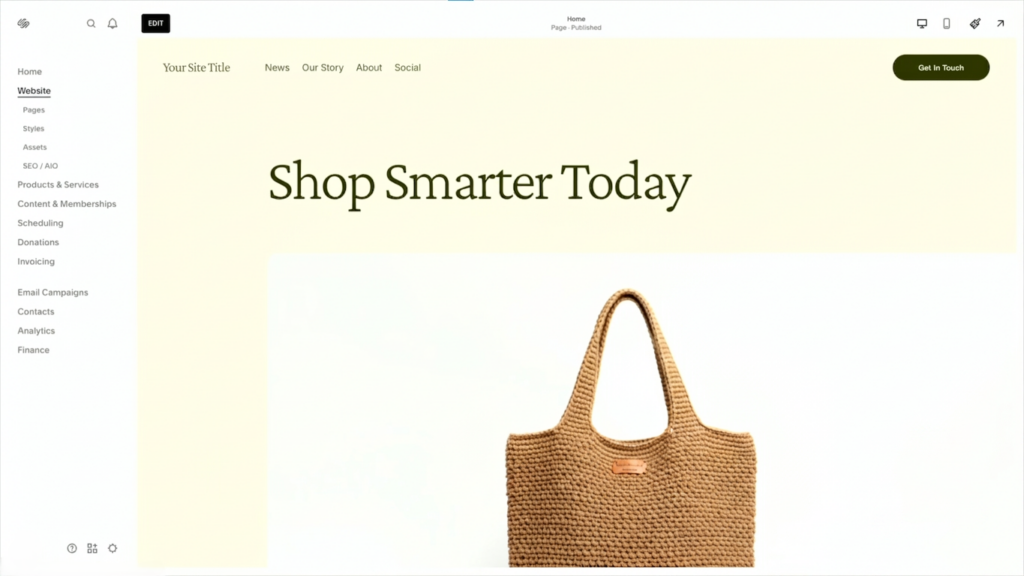
- High-level visual editor for building layouts;
- Built-in SEO optimization tools;
Squarespace Cons:
- Limited number of customization options;
- No access to database or source code if you decide to move away from the platform;
WordPress Pros:
- Unrestricted customization options;
- Absolute ownership over your digital asset and database;
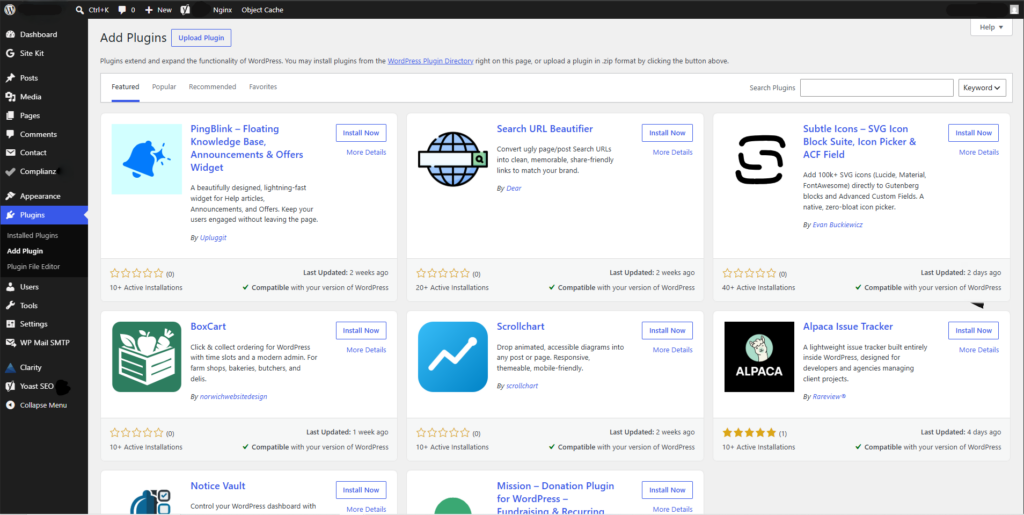
- Free to start and flexible pricing;
- Highly scalable solution for complex business models;
WordPress Cons:
- Requires a bit higher level of technical knowledge for building layouts;
- Not an optimal option if you are short on time;
So, as we see, Squarespace and WordPress have their strengths and weaknesses. In this light, your task is to define your business needs and figure out how this website builder will contribute to your growth.
Squarespace or WordPress: 11 Major Differences (2026)
Ownership
This is the biggest difference between the two platforms, which lies in the nature of website ownership. Squarespace provides you with the hosting, so in case you need to move away, you will face many complications since there will be no way of exporting your website structure. As opposed to this, WordPress will give you full access to your website source code and all your database files, so moving elsewhere becomes easier.
Maintenance
The first platform operates as a fully managed service, so you won’t be bothered by any maintenance-related issues since the engineers will take care of everything in the background. Updating the software core and plugins, making sure that the website doesn’t break after updating the system – all these activities are performed behind the curtains. WordPress is not a managed platform, so you’ll be responsible for software maintenance on your own. Although this can be troublesome at times, it will give you maximum flexibility and freedom.
Extensibility
Since WordPress is open-source, its ecosystem includes thousands of plugins that can be used in just a few clicks to extend its functionality. This platform has almost unlimited extensibility and can provide you with any functional module you may need in the future, such as a learning management system, forums, or dynamic search engine tools. Squarespace has a much smaller list of extensions since the platform is closed. All these extensions are curated for users’ safety, but they will never provide you with as much extensibility.
Learning Curve
Squarespace has an extremely intuitive visual editor that enables non-tech-savvy individuals to build professional layouts via drag-and-drop interface. So, you won’t face any problems related to building a website since it is highly predictable, and nothing happens behind the curtains. This is not the case with WordPress. Even if the latest update introduces a block-based visual editor (Full Site Editor), the complexity will always remain, as there are many elements involved.
SEO
Both platforms include necessary tools to optimize your website for SEO, but the level of optimization varies greatly. Squarespace can provide you with SEO configurations, such as customized meta description, slug, or sitemap generation. This is enough to achieve satisfactory results for beginners. On the other hand, WordPress allows users to customize anything about the server, including crawl budget, server configuration, and schema markup – something that is absolutely impossible in a closed ecosystem of Squarespace.
Costs
Squarespace has fixed and affordable pricing starting at £14 for UK businesses. It doesn’t allow for optimizing your expenses on the go, but at the same time, it will guarantee maximum safety of your financial flow. WordPress is absolutely free, yet it has a more flexible payment model since its cost depends on the selected hosting, themes, and premium plugins. So, for example, a basic website powered by WordPress will cost you only £4 per month in UK shared hosting.
Data Portability
Moving away from Squarespace becomes difficult because of the proprietary nature of the platform. Although you can export blog posts and product information, all other website data (layout, styles, etc.) will be lost. That is why you will need to build the layout again, losing some of your efforts and SEO. The good thing about WordPress is that you can freely move all of your files and database to a different hosting. Thus, you’ll get the whole asset intact.
Performance
Squarespace hosting infrastructure implies the use of standardized servers, which will limit your page-loading time. Unfortunately, there is no way of optimizing this aspect since everything is fixed and predetermined by the company. If your goal is achieving outstanding page speeds, choose WordPress and use the power of custom hosting, CDNs, and advanced caching plugins like WP Rocket, W3 Total Cache, etc. In this case, you’ll optimize your user experience and boost your search ranks.
Security
One of the most important aspects of website management is related to security. Squarespace platform provides you with a bullet-proof security network that will protect your website from any attacks or threats that it can get. WordPress is more vulnerable to external factors because of its popularity. In order to enhance your security on WordPress, you’ll need to use the right plugins (Wordfence, Sucuri), set up a strong firewall, and use high-quality hosting.
Design
As mentioned above, Squarespace is limited in customization. Your design will be determined by predefined layouts. However, you can play with style using the Fluid Engine editor and customize the layout with CSS and JavaScript codes. In WordPress, you will get the freedom to create any design layout since you can edit the HTML and PHP codes as well. Therefore, your designer won’t face difficulties in making bespoke layouts or any complicated designs.
Scalability
As you see, Squarespace has clear scalability limitations. Once you hit the limit, you’ll need to think about changing the platform or paying additional amounts. For instance, your website cannot perform multi-currency transactions, integrate with external APIs, and include membership tiers. The main thing that attracts developers to WordPress is its limitless scalability. In this case, you’ll get an open environment for building complex integrations and adding new elements.
The “Total Cost of Ownership” (TCO) Angle
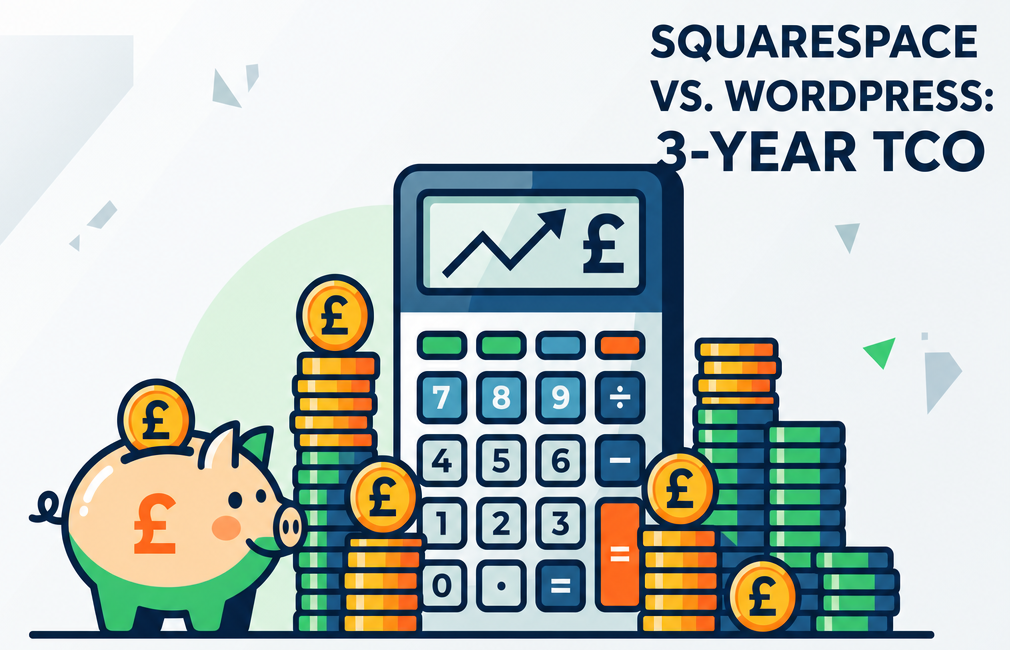
In order to find out how expensive it will be to use a website builder, you will need to estimate its TCO over 3 years. Many entrepreneurs make a mistake estimating the first-year cost of hosting, domain names, and website builder services since the TCO consists of many other parameters, such as development costs, support fees, and rebuild costs (if required). In this regard, below is an overview of three different scenarios.
THREE-YEAR TOTAL COST OF OWNERSHIP (GBP £)
| Scenario / Platform | Year 1 | Year 2 | Year 3 | Total |
| Solo Creator (Squarespace) | £168 | £178 | £178 | £524.00 |
| Solo Creator (WordPress) | £42 | £117.88 | £117.88 | £277.76 |
| Growing Business (SQ) | £504 | £514 | £514 | £1,532 |
| Growing Business (WP) | £705 | £715 | £715 | £2,135 |
| E-Commerce Scale (SQ) | £708 | £718 | £718 | £2,144 |
| E-Commerce Scale (WP) | £1,931 | £1,941 | £1,941 | £5,813 |
Here, we provide you with three real scenarios that can fit many UK businesses:
Solo Creator: This scenario fits a portfolio, blog, or basic business website. Squarespace will require the usage of its Personal Plan for £14 per month (£168/year) + domain registration (£10 in the second year), while WordPress will require managed shared hosting at an introductory rate of £3.50 per month (£42/year), going to a standard renewal rate of £8.99 per month (£117.88/year) with free themes/plugins – the cheapest WordPress hosting option.
Solo Creator
In the case of a solo creator, Squarespace would mean a Personal Plan annual subscription (£14 per month). The domain would be registered through the same company from the second year onwards (£10 fee). WordPress would imply using managed shared hosting for the first six months (£3.50 monthly price) and standard renewals (£8.99 per month). This micro-version uses free themes and free plugins from the community. Here, WordPress is rather cheap compared to Squarespace at only £277.76 versus £524.00 in three years.
Growing Business
Here, the operational expenses increase. On the Squarespace side, they involve the Business Plan (£21 per month), Google Workspace (£6 per month), and an SEO plugin like SEOSpace (£15 per month) to get an understanding of how to optimize your site effectively. For WordPress, you would need mid-tariff managed hosting (£18 per month), Google Workspace (£6 per month), a professional theme (£59 yearly), a professional design plugin like Elementor Pro (£49 yearly), Rank Math Pro (£59 yearly), and a budget for minor developers intervention (£250 yearly). Squarespace is rather cheaper here, with the total price of £1,532.00 versus £2,135.00 for the same time span.
Scaling E-Commerce
For Squarespace, a dedicated advanced commerce plan will be required (£43 monthly price) along with basic email marketing tools (£10 monthly price). Therefore, the total three-yearly cost comes to £2,144.00. To launch a full-scale WooCommerce website, dedicated hosting for transactional stability will be required (£50 per month), premium plugins (£200 yearly), security settings (£100 yearly), and professional maintenance (£900 yearly). In this case, the cost of WordPress for e-commerce turns out to be considerably higher at £5,813.00.
However, these expenses do not include one important factor – the transition. As a rule, if you start with a platform due to its low price and find yourself in three years incapable of using the platform adequately due to its native limitations, you face the “rebuild tax” – the sum of money you have to pay for hiring a web agency or professional developer to extract your database and URL mapping, recreate your layout, and develop a custom site design. Usually, rebuilding a site on WordPress costs between £3,500 and £10,000, which will definitely offset all previous savings you had on the platform’s hosting plan. Starting your journey on the right platform will save you this money, which could otherwise be spent on marketing or brand development.
The “Maintenance Burden” or “Creative Freedom”? Trade-Off
This is the crucial aspect that makes people choose one solution over the other. Working with Squarespace means sacrificing your creativity in exchange for peace of mind. You do not need to care about downtimes of your server, upgrading PHP versions, or potential crashes caused by plugins’ interactions during nightly updates. This means you are free to create content and run the business, but you will be restricted in your freedom if you want to implement a certain workflow.
WordPress requires you to manage your server and software stack either yourself or delegate this responsibility to a professional team. You would need to plan core updates and verify plugin dependencies. A minor mistake – the incompatibility between outdated slider and updated theme, for instance – may bring down your entire live site at night. However, this small burden gives you total freedom of creativity and functionality. You can customize the user dashboard, arrange complex booking pipeline, and develop customized databases for consumer applications.
One way to cope with this contradiction is to hire a professional WordPress agency to handle this aspect of maintenance, as mellocity.com does. Hiring professional engineers will allow you to enjoy maximum freedom and creativity while entrusting the hosting service to a professional software partner. One way to cope with this contradiction is to hire a professional WordPress agency to handle this aspect of maintenance. If you are ready to offload the technical weight so you can focus on growth, you can hire a professional WordPress developer in the UK to manage your stack, security, and updates.
“Scale Ceiling” Explained
The scale ceiling can be understood as the exact moment your website builder becomes incapable of handling further business operations. Such a moment usually happens unexpectedly, when you notice a decrease in the site loading speed after adding some hundreds of products, or when you discover that your builder does not provide any tools to integrate your CRM and database. Being restricted on your platform, you will not be able to access and modify the database or change the server settings to increase capacity.
Launching your website on a platform with rigid ceilings may turn out rather unprofitable when planning your long-term growth. Hitting the ceiling implies a sudden need to migrate, which will disrupt your marketing campaigns and even halt your lead generation temporarily. Choosing a flexible platform from the start is a far smarter decision than choosing an inflexible and restrictive option that will hinder you in a few months.
Which Platform Is Better? WordPress VS Squarespace 2026
With a clear understanding of the differences in ownership, scalability, and cost, you are likely asking yourself: Should I use WordPress or Squarespace? In order not to complicate your decision too much, let us clarify in which case each of the builders will be more beneficial.
Choose Squarespace if:
- You are launching a brand or entering a validation stage and want to go live within a week.
- Your website requirements are static; you want only basic pages, contact form, and portfolio gallery.
- You lack an IT department or external developers to take care of your hosting and updates.
- You need only an intuitive and straightforward check-out process without complex features like custom shipping and international taxes.
Choose WordPress if:
- You are going to participate in a serious competition in the country or internationally.
- You require customized applications, for example, booking or member area.
- Your website is going to develop into a big digital asset, so you need total freedom of ownership.
- Your company is already on a maturity stage and can hire someone to handle technical maintenance.
Squarespace SEO VS WordPress SEO: Comparison
It is generally believed that “WordPress is better for SEO by nature”. This, however, is an oversimplification. Search engines do not mark you down for having used WordPress or Squarespace – the quality of the website plays the most important role in the ranking process. If your goal is to operate in a narrow geographic location, you can rely on both platforms equally successfully, as each provides all necessary SEO options: on-page configuration, sitemap generator, and intuitive URL redirection. Besides, there are useful UK tools like the aforementioned SEOSpace plug-ins which can help beginners gain significant benefits in SEO without any tech skills.
The main difference between the two options shows when competing for keywords in national SEO. If you need to operate with a large amount of products, manage structured data on your site, or deal with complicated SEO issues, WordPress is always preferred for the following reasons:
- Adjustments to the server environment to optimize the Core Web Vitals.
- Customization of schema markup models.
- Advanced settings to manage robot indexes.
- Custom advanced caching settings and optimizations.
Choosing WordPress or Squarespace? Tips for the Future
The best way to choose between the two platforms is to think ahead and analyze your future. Ask yourself a number of questions concerning your development plans, and you will see clearly which platform is better:
- Are our teams well-organized? Will we have different departments who will publish their materials on the site? WordPress allows for a detailed structure of users’ rights, while Squarespace works only with permissions.
- Which integrations are required for our business? Can we connect our website activity to CRM or any other external services? If yes, WordPress would be a better choice because of its flexible architecture.
- What are the prospects for future content? Will we accumulate lots of content over three years? The possibility to arrange tags and categories is crucial for efficient content marketing.
Therefore, if the answer to the last question suggests that you will soon be dealing with complex database customization, personalization of users’ experience, or need other complex integrations in the nearest three years, starting with WordPress is the most profitable choice.
Transition to WordPress: How to Migrate
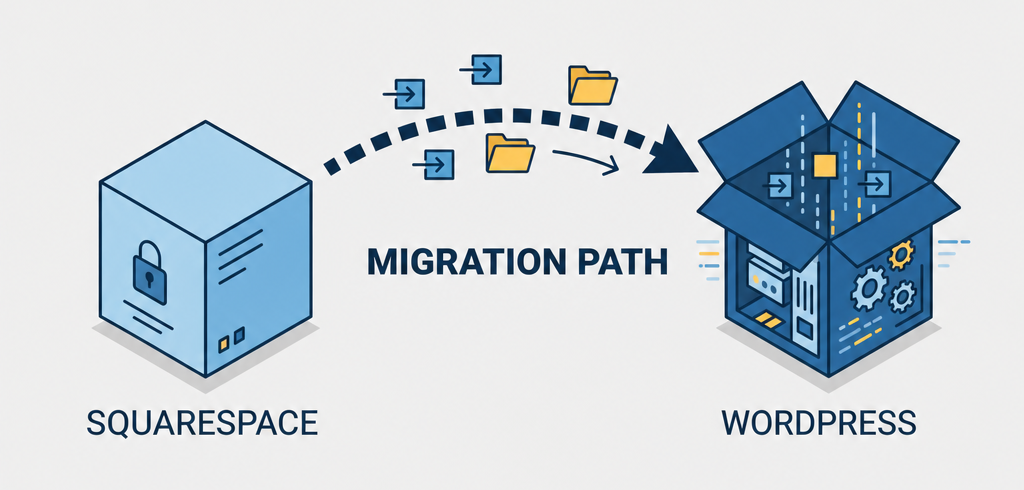
Many businessmen assume that they can first launch a simple website builder, then switch to WordPress once they outgrow the first platform. Technically, it is quite possible, but it is quite difficult. Migrating between website builders is a delicate procedure that requires careful analysis and implementation. In case of switching to WordPress, the following steps are expected:
- Blogs and products need to be exported as XML and then reformatted to comply with WordPress’ table arrays.
- Layout design needs to be rebuilt completely since it is unique and non-interchangeable.
- Redirection of media files, page directories, and images should be carried out carefully to avoid 404 errors.
- All connections with booking services, contact channels, and mailing lists should be restored.
Inability to migrate your site correctly may lead to indexation issues and decrease your SEO performance dramatically. In this regard, building a website on WordPress initially will save you money.
What Goes Beyond Design? Why WordPress is the Superior Choice for SEO in the Long Run
In choosing WordPress, you are investing in a valuable long-term asset. Your ability to take full advantage of your brand’s digital real estate depends entirely on its technical autonomy. With complete control over the hosting infrastructure, you have the option to use server environments that are specifically situated in the UK, thus optimizing load time for local audiences and helping your search engine metrics. Besides, you’ll be able to easily comply with the UK GDPR and PECR laws regulating the use of cookies by installing granular, compliant consent banners via WordPress plugins such as CookieYes.
The flexibility of WordPress file structure means that you can optimize your advanced assets, use next-generation image formats, and run database sweeps to eliminate unnecessary table overhead. Over time, you will see that these granular optimizations help boost your search rankings in highly competitive fields. Although both systems provide you with an opportunity to create a quality storefront for your brand, WordPress offers a flexible foundation that supports effective SEO architecture. You have the digital keys to fine-tune every aspect of the server to meet Google’s requirements for ranking pages.
Squarespace vs. WordPress: Which Digital Ecosystem Can Survive the Scalability of Your Business?
Your website needs to accelerate your business, not hinder it. Brands that succeed and scale in 2026 are the ones that have the freedom to control their digital real estate and data streams. Whereas Squarespace is undoubtedly an excellent tool for launching a professional online presence, WordPress is the standard for the future of websites owned by growing and innovative brands.
While concluding your research into Squarespace vs. WordPress, make sure to prioritize your long-term plans for growth. If you prefer to benefit from the full scalability of WordPress yet do not wish to learn its intricacies, you might want to outsource your project to a dedicated agency. The specialists at mellocity.com are skilled at crafting technically sound WordPress builds that deliver top performance.