Choosing a Content Management System (CMS) is far more than a technical checkbox exercise. It is a foundational decision that dictates how your team will work, how your brand will scale, and how much technical debt you will carry into the next decade. In 2026, as we witness the convergence of generative AI and deeply structured data, the choice between Drupal and WordPress has become more nuanced. While both are open-source titans built on PHP, they represent two fundamentally different worldviews on how content should live on the internet.
The Landscape of Modern Content Management in 2026
The digital environment today is vastly different than it was even five years ago. Websites are no longer just pages of text and images; they are interconnected nodes in a larger digital ecosystem that feeds social media, mobile apps, voice assistants, and AI models. Both WordPress and Drupal have evolved to meet these demands, but they do so by leaning into their original identities.
WordPress continues to dominate the market by sheer volume, powering roughly 45% of the web. Its growth has been fueled by its commitment to accessibility and a “no-code” or “low-code” philosophy that empowers individual creators and small businesses. On the other hand, Drupal has solidified its position as the enterprise-grade framework of choice for organizations that view content as data. It thrives in environments like higher education, government, and large-scale healthcare where complexity is a feature, not a bug.
Decoding WordPress and Drupal
To make an informed choice, you have to look at the “natural grain” of each platform. If you try to force a CMS to do something it wasn’t built for, you’ll end up with a brittle system that breaks during the next update.
The WordPress Philosophy of Speed and Access
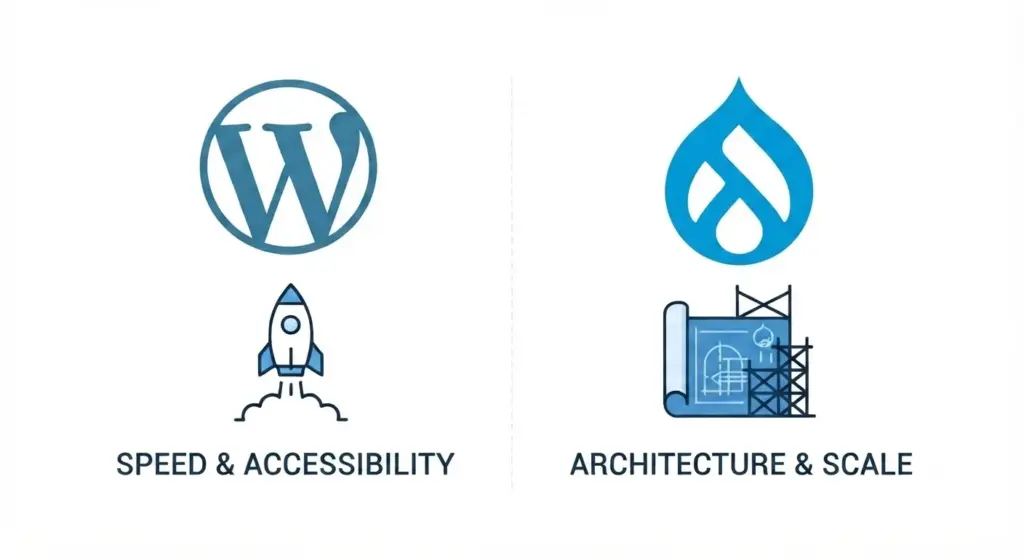
WordPress began its life in 2003 as a blogging tool. Its fundamental mission was to democratize publishing. This legacy is visible in everything it does today. The platform is designed around the concept of the “Editor” and the “Marketer.” The goal is to move from an idea to a live URL as fast as possible.
The introduction of the Gutenberg block editor years ago was a turning point. It transformed WordPress from a text-based editor into a visual site builder. By 2026, this system has matured into a seamless experience where layout and content are handled simultaneously. For a marketing team that needs to launch a landing page for a new campaign by Friday afternoon, WordPress is an absolute powerhouse. It assumes you want sensible defaults and that you’d rather use a plugin to add functionality than write a custom integration from scratch.
The Drupal Philosophy of Architecture and Scale
Drupal, which actually predates WordPress by several years, has always been more of a “toolset” than a “finished product.” If WordPress is a pre-fabricated home that you can move into today, Drupal is a high-end architectural kit. You have to build the house yourself, but you can make the walls any shape you want.
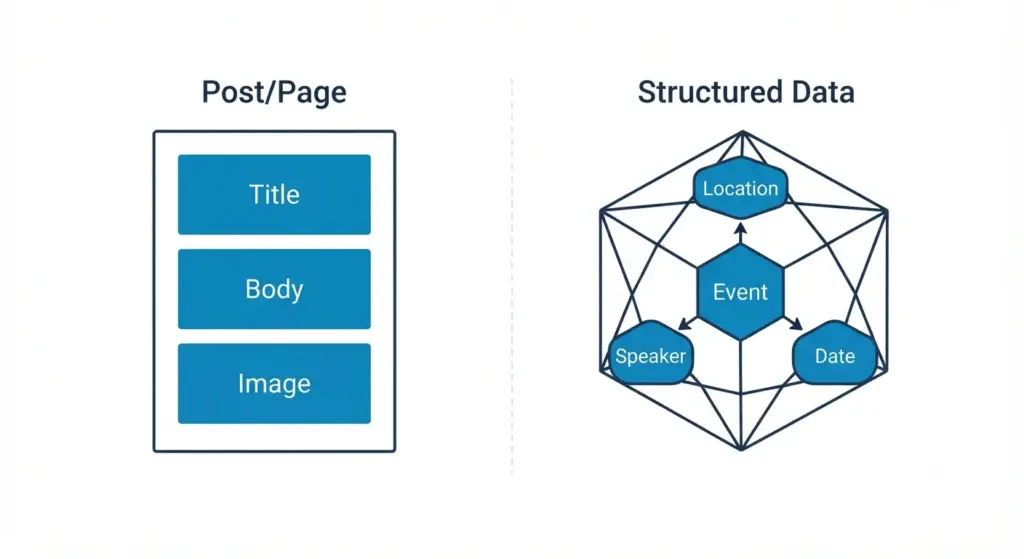
Drupal’s core strength is its ability to handle structured content. In the Drupal world, everything is a “node,” and you define exactly what fields that node contains. This makes it incredibly powerful for sites that aren’t just collections of articles, but databases of information. Think of a university website that needs to display faculty profiles, course catalogs, research papers, and campus events. Drupal allows you to create these as distinct content types and then creates relationships between them. It is a system built for developers and data architects who need to manage millions of assets across complex hierarchies.
User Experience and the Reality of the Learning Curve
One of the most discussed points in any CMS comparison is “ease of use.” However, “easy” is a subjective term that depends entirely on who is using the tool.
Editorial Experience for Non-Technical Users
For a writer or a social media manager, WordPress is almost always the winner in terms of immediate usability. The interface is intuitive, and because so many people use it in their personal lives, the onboarding time is minimal. The dashboard is clean. The visual feedback of block editor. Means what you see in the backend is very close to what the visitor sees on the frontend.
Drupal has made massive strides in this area with projects like “Starshot,”. Which aimed to make the initial setup and editorial experience much friendlier. In 2026, a well-configured Drupal site can be just as easy to use as a WordPress site. The keyword there, however, is “well-configured.” While WordPress is easy out of the box, Drupal requires a developer to spend time “authoring the authoring experience.” If the developer doesn’t prioritize the editor’s workflow, the Drupal backend can feel overwhelming and overly technical.
The Developer Experience and Customization
From a developer’s perspective, the preferences often flip. WordPress development often involves managing a library of third-party plugins. This can be efficient, but it can also lead to “plugin bloat,” where different tools conflict with one another. Developers often find themselves fighting against the ways WordPress handles data to achieve highly custom functionality.
Drupal developers, conversely, enjoy a more standardized, engineering-heavy environment. Drupal uses Symfony, a popular PHP framework, which means it follows modern software engineering patterns. The platform is built to be extended. While WordPress has plugins, Drupal has “modules.” The difference is subtle but important: Drupal modules are designed to work together within a strict API. This makes Drupal a more stable environment for building unique, “outside-the-box” features that haven’t been done before.
Content Modeling and the Power of Data
This is where the two systems truly diverge. Your choice often comes down to how complex your information is.
Dealing with Simple vs. Nested Content
If your website is primarily a blog, a news site, or a brochure site for a small business. WordPress handles this natively. You have “Posts” and “Pages.” You can add categories and tags. For 90% of websites, this is exactly what is needed. While you can add custom post types in WordPress, doing so often requires additional plugins or custom code. That can feel like an extension of the base system rather than a core part of it.
Drupal treats every piece of content as a custom type by default. It excels at “taxonomy,” which is a fancy word for how you categorize and relate things. In Drupal, you can create a category called “Locations” and apply it to “Events,” “Staff,” and “Offices.” You can then create a page that automatically displays every event and staff member associated with a specific office. This level of relational data management is baked into Drupal’s core code. If your project involves a massive amount of “cross-referencing” content. Drupal will save you hundreds of hours of manual work in the long run.
The Security Landscape and Maintenance Realities
In 2026, web security is not a “set it and forget it” task. It is a constant battle against automated bots and sophisticated exploits.
The Target on WordPress’s Back
Because WordPress is so popular, it is the primary target for hackers. Most WordPress hacks don’t happen because the core software is weak, but because a site is running an outdated or poorly coded plugin. The massive ecosystem of 60,000+ plugins is WordPress’s greatest strength and its greatest security weakness. To keep a WordPress site safe, you need a rigorous maintenance schedule and a very discerning eye for which third-party tools you allow onto your server.
Drupal’s Security-First Culture
Drupal has a reputation for being the “more secure” CMS, which is why it is used by the White House, the Australian Government, and major global banks. This isn’t just marketing; it is a result of how the community operates. Drupal has a dedicated security team that vets all “contrib” modules before they are recommended. The software is built with an engineering mindset that prioritizes “least privilege” access. While no software is unhackable, Drupal is designed to fail gracefully. It is much harder for a rogue module to take down a Drupal site than it is for a bad plugin to compromise a WordPress site.
Total Cost of Ownership: The “Free” Software Myth
Both Drupal and WordPress are free to download, but neither is free to run. The total cost of ownership (TCO) is a calculation of design, development, hosting, security, and the time your staff spends managing the site over its lifetime.
WordPress: Low Bar to Entry, Potential Monthly Costs
Building a WordPress site is generally cheaper and faster. Because there are millions of WordPress developers, competition keeps prices lower. You can often buy a professional theme for $100 and a handful of premium plugins for another $200, and you have a world-class site. However, the costs can creep up. High-quality managed WordPress hosting, premium security services, and the “technical debt” of fixing plugin conflicts can add up over time. WordPress is an “Opex” (Operating Expense) heavy model—it’s easy to start, but requires steady investment to keep it from degrading.
Drupal: High Upfront Investment, Stable Long-Term
Drupal is an “Capex” (Capital Expenditure) model. The initial build will almost certainly cost more. You need specialized developers who understand data architecture, and “off-the-shelf” themes are far less common, meaning you’ll likely be paying for a custom design. However, once a Drupal site is built, it is incredibly robust. It is designed to handle massive traffic spikes and huge amounts of data without flinching. For an enterprise, the higher upfront cost is often seen as an insurance policy against the chaos of managing a bloated plugin ecosystem.
The 2026 Shift: Headless and Decoupled CMS
One of the biggest trends in 2026 is the “Headless” approach. This is where the CMS is used only as a backend database to store content, which is then sent via an API to a completely separate frontend built in a language like React or Next.js.
Drupal as a Content API
Drupal was “API-first” before it was cool. It is perfectly suited for a headless setup. Many large organizations use Drupal as a central content hub that feeds their website, their mobile app, and their digital signage simultaneously. Because Drupal is so good at structuring data, it makes for a very “clean” API that developers love to work with.
WordPress and the REST API
WordPress has also moved into the headless space with its own REST API and GraphQL support. It’s a great option for developers who want the ease of the WordPress editing interface but want to build a high-performance, modern frontend. However, because WordPress wasn’t originally designed this way, you sometimes have to “clean up” the data it sends out to make it work efficiently in a headless environment.
Performance and Scalability: Handling the Crowd
A site that loads slowly is a site that loses money. Both platforms can be made to run blazingly fast, but they achieve this differently.
WordPress and Caching
Out of the box, WordPress can be a bit heavy because it loads a lot of scripts to ensure compatibility with various plugins. To make WordPress fast, you rely heavily on caching—creating static versions of your pages so the server doesn’t have to “think” every time someone visits. In 2026, managed WordPress hosts have become so good at this that speed is rarely an issue for small to medium sites.
Drupal and Core Efficiency
Drupal is built for performance at the architectural level. Its “BigPipe” caching technology (originally inspired by Facebook) allows the server to send the static parts of a page immediately while “streaming” the dynamic parts as they are ready. This makes Drupal sites feel incredibly snappy even when they are serving complex, personalized content to thousands of users at once. If you expect millions of visitors, Drupal’s core efficiency gives you a higher ceiling for performance.
Governance and Team Workflow
This is the most underrated factor in choosing a CMS. How does your organization actually work?
Agility and Individual Empowerment
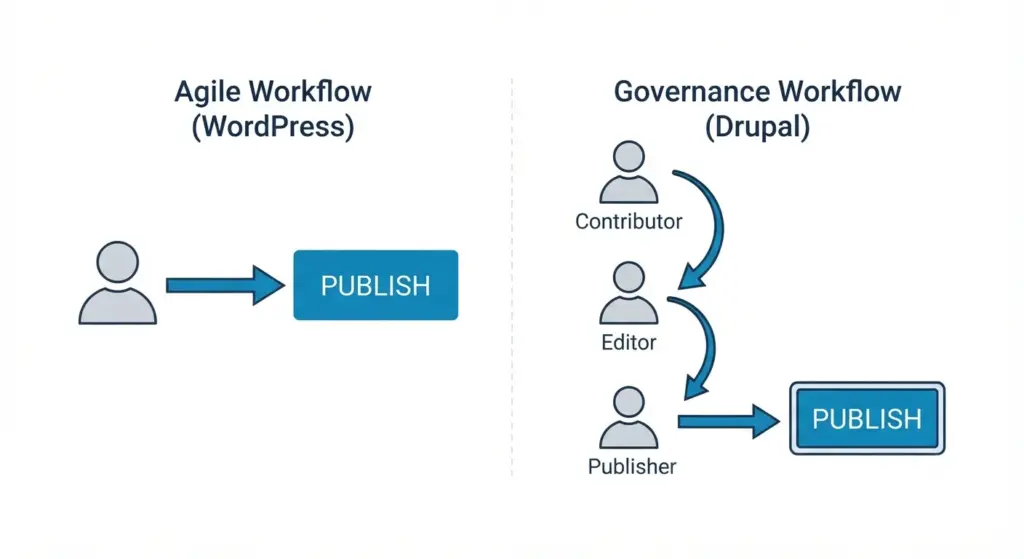
In a startup or a small marketing agency, people wear many hats. One person might write the copy, find the image, and hit publish. WordPress is built for this “agile” workflow. It empowers the individual to move quickly without being slowed down by the system.
Roles, Permissions, and Legal Compliance
In a large corporation or a government body, you cannot have one person with “God-level” access to the site. You need a workflow: a student writes a draft, a professor reviews it, the legal department checks for compliance, and only then does a senior web manager approve it for publication.
Drupal’s core “Workflows” and “Content Moderation” modules are the gold standard for this. You can define infinite roles and permissions. You can say “Users with the role ‘Junior Editor’ can edit text in the ‘Arts’ section, but they cannot delete images or touch the ‘Science’ section.” This granular control is what makes Drupal the choice for organizations where a mistake on the homepage could be a legal or PR disaster.
Ecosystems: The Power of Community
Both platforms are open-source, which means they are supported by global communities of volunteers and companies.
The WordPress Market
The WordPress community is massive and commercial. If you have a problem, someone has likely written a blog post about it, filmed a YouTube tutorial, or built a plugin to fix it. This “community as a marketplace” means you are never stuck. If your developer disappears, you can find a thousand more on any freelancing site who know exactly how to pick up where they left off.
The Drupal Contribution
The Drupal community is smaller but more “academic” and engineering-focused. There is a heavy emphasis on contributing back to the core software. While you might not find as many “one-click” solutions, you will find a culture of collaboration. When a security vulnerability is found in Drupal, the community often has a patch ready within hours. It is a “community as a guild” model.
Summary of Comparison
For a quick reference, here is how the two stack up in the 2026 landscape:
- WordPress is best when: You want a site up in days, your team is marketing-heavy, budget is a primary concern, or you need a standard “site-building” experience with high flexibility for editors.
- Drupal is best when: You have complex data, you need strict security and governance, you are building a “platform” rather than just a website, or you are integrating with multiple external enterprise systems.
Making the Final Calibrated Choice
If you are still undecided, ask yourself these three questions:
- Who is going to be in the backend every day? If it’s a group of content marketers who want to experiment with layouts and “vibe” their way to a landing page, give them WordPress. If it’s a group of data managers who need to ensure that 50,000 product specs are accurate across 10 languages, give them Drupal.
- What does the site look like in five years? If you plan to add a blog, a small shop, and a portfolio, WordPress will grow with you easily. If you plan to eventually build a customer portal, integrate with a legacy CRM, and launch a mobile app using the same content, start with Drupal. The “re-platforming” process from WordPress to Drupal later is painful and expensive; it’s better to build the right foundation now.
- What is your “Technical Support” reality? Do you have an in-house developer, or can you afford a high-end agency? If yes, Drupal’s power is an asset. If you are a “DIY” operation or have a very limited IT budget, Drupal will feel like a burden. WordPress’s “democratized” nature makes it the safer bet for teams that don’t want to be “tethered” to an expensive developer for every small change.
The Future is Hybrid
It is worth noting that by 2026, many large organizations have stopped choosing just one. They use a “Multi-CMS” strategy. They might use Drupal to house their massive, secure “source of truth” database and use WordPress to power their fast-moving marketing blogs and campaign sites.
The “Drupal vs. WordPress” debate is no longer about which one “wins.” It is about which one is the right tool for the specific job you are doing today. Both are incredible pieces of software that have shaped the modern web. By understanding their core philosophies, you can stop worrying about the technology and start focusing on the content and the people that technology is meant to serve.
Whether you choose the rapid empowerment of WordPress or the structural integrity of Drupal, the most important factor is a clear strategy. A CMS is just a tool; the success of your digital project depends on the vision you bring to it.