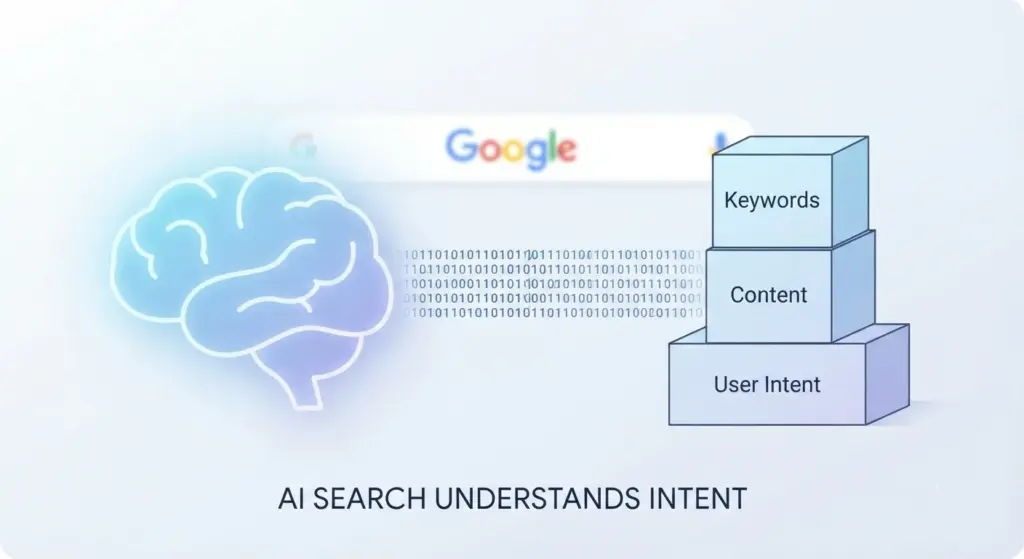
Finding the right way to stand out on Google used to be simpler. You’d pick a few keywords, sprinkle them through your text, and hope for the best. As we move through 2026, that strategy is ancient history. Today, search engines are powered by complex AI that reads content almost like a human does. If you’re running a WordPress site, you’ve probably realized that while the platform is great, it doesn’t handle the heavy lifting of modern SEO on its own.
That’s where SEO plugins come in. They aren’t just there to help you rank; they are your technical safety net. They ensure your site speaks the language of search bots while you focus on speaking to your readers. I’ve spent years testing these tools, and the landscape has changed. It isn’t just about Yoast anymore. Whether you’re a hobby blogger or running a massive e-commerce store, picking the right plugin is one of the most important decisions you’ll make for your site’s growth.
Why WordPress Still Needs a Helping Hand
WordPress is often marketed as “SEO friendly,” and that is true to an extent. It handles permalinks and basic tagging well. However, the requirements for ranking in 2026 go way beyond the basics. Modern SEO requires structured data, also known as Schema, which helps AI search engines understand if your page is a recipe, a product review, or a local service. Doing this manually is a nightmare.
An SEO plugin automates the tedious stuff. It generates your XML sitemaps, which act like a GPS for Google to find your pages. It manages redirects so your visitors don’t hit “404 Not Found” errors when you move content. Most importantly, it gives you a checklist for every post you write. It’s like having a professional editor sitting on your shoulder, reminding you to fix your titles or add alt text to your images.
The Big Three Comparison for 2026
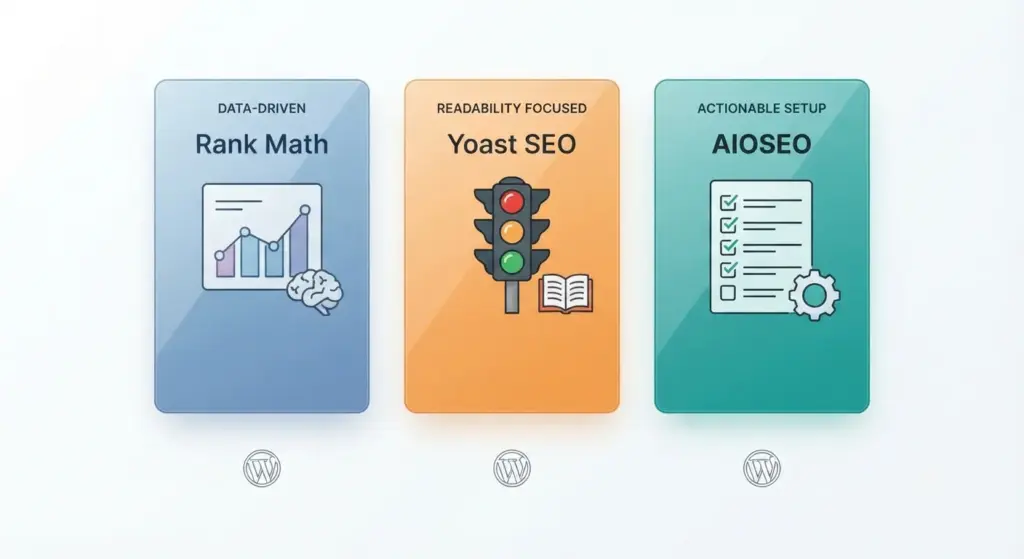
The WordPress market is dominated by three major players. While they all aim to do the same thing, their “personalities” and feature sets are vastly different.
Rank Math: The Data Enthusiast’s Dream
Rank Math is currently the most disruptive force in the WordPress SEO world. Not long ago, it was the new kid on the block, but today, it’s often the first choice for people who want everything in one package without paying for dozens of add-ons.
What makes Rank Math special is its modularity. You can turn features on or off depending on what you need. If you don’t need a 404 monitor, you click a button and it’s gone, which keeps your dashboard clean. Its free version is famously generous, offering features like a redirection manager and basic Schema that other plugins charge for.
In 2026, Rank Math has leaned heavily into AI. Their “Content AI” doesn’t just check for keywords; it looks at the semantic relationship between words. It tells you what topics you missed and how your competitors are structuring their answers. It is built for a world where “User Intent” is the king of ranking factors.
Yoast SEO: The Original Industry Standard
Yoast has been around since the early days of WordPress. If you ask a non-techy person about SEO plugins, this is the one they know. Its strength lies in simplicity and the famous “Traffic Light” system. Green means good, orange means okay, and red means you’ve got work to do.
Yoast focuses heavily on readability. It checks your sentence length and your use of transition words. In an age where people have shorter attention spans than ever, this is incredibly valuable. While Rank Math is about the data, Yoast is often about the craft of writing.
However, Yoast can be a bit aggressive with its “Upsells.” Many of its best features, like the internal linking suggestions or the social media previews, are locked behind a premium subscription. But for a beginner who just wants to know their post is “safe” before hitting publish, there is still no tool more welcoming than Yoast.
All in One SEO (AIOSEO): The Professional Choice
AIOSEO is perfect for people who don’t want to fiddle with fifty different settings. It is designed to be efficient. One of its standout features is the “TruSEO” score, which gives you a clear, actionable checklist. Instead of just a colored light, it gives you a list of things to fix, ranked by importance.
AIOSEO is particularly popular with agencies and e-commerce owners. Its WooCommerce integration is arguably the best in the business. It helps you optimize product categories and tags automatically, which is a massive time-saver if you have a shop with hundreds of items. It feels less like a “plugin” and more like a piece of business software.
Technical Features You Simply Cannot Ignore
When you are looking at these plugins, don’t get distracted by the fancy icons. There are five technical pillars that your plugin must handle perfectly to keep your site healthy in 2026.
Structured Data and Schema Markup
Google doesn’t just look at text anymore; it looks for context. Schema markup is a specific code that tells a search engine, “This price is $19.99,” or “This person gave this book a 5-star rating.” Modern plugins now have “Schema Builders.” You can tell the plugin your post is a tutorial, and it will automatically add the “How-To” code that makes your post show up with pictures and steps directly in the search results.
Automated XML Sitemaps
A sitemap is essentially a list of all your pages that you submit to search engines. You want a plugin that updates this instantly. If you publish a post at 2:00 PM, your sitemap should reflect that by 2:01 PM. This ensures that Google’s “crawlers” spend their time looking at your new content rather than wandering around old pages that haven’t changed in months.
The Power of a Redirection Manager
Broken links are more than just an annoyance for users; they are a signal to Google that your site is neglected. When you change a URL, your SEO plugin should ask, “Do you want me to redirect the old link to the new one?” If the plugin does this automatically, you never lose the “SEO juice” you built up on the old page. This feature alone is worth the price of a premium plugin for most growing sites.
Breadcrumb Management
Breadcrumbs are those little “Home > Blog > Travel” links at the top of a page. They help users navigate, but they also help Google understand the hierarchy of your site. Most modern plugins now let you customize these without needing to touch a single line of code in your WordPress theme.
Social Media Optimization (Open Graph)
SEO doesn’t stop at search engines. How your post looks on Facebook or LinkedIn matters for your click-through rate. A good plugin lets you choose a specific image and title for social shares that might be different from your Google title. This gives you the flexibility to be a bit more “clicky” on social sites while staying professional on Google.
Exploring the Lightweight Alternatives
While the “Big Three” are great, they can sometimes feel like “bloatware” if you have a simple site. Some developers have built plugins that focus on speed and minimalism.
SEOPress: The Affordable Poweruser Tool
SEOPress is gaining a lot of ground because of its pricing model. While most plugins charge you per site, SEOPress often has “Unlimited” plans that are very affordable. It’s a white-label friendly tool, meaning if you are building sites for clients, you can hide the SEOPress branding and put your own logo on it. It’s fast, lightweight, and doesn’t nag you with ads in your dashboard.
The SEO Framework: The Purist’s Choice
This plugin is for people who hate “features” they don’t use. It is arguably the fastest SEO plugin on the market. It doesn’t have a scoring system with lights or numbers. Instead, it uses a color-coded bar that is much more subtle. It follows Google’s guidelines to the letter and avoids any “gimmicky” features. If your priority is site speed above all else, this is the one to check out.
Squirrly SEO: The AI Consultant
Squirrly is a bit different. It’s designed for people who aren’t SEO experts. It uses an AI cloud service to analyze your site and gives you “Goals” for the week. It feels more like having a consultant telling you exactly what to do each day to improve your rankings.
Making a Decision Based on Your Workflow
Choosing a plugin is really about knowing yourself and your goals. There is no “perfect” one, only the one that fits your routine.
If you are a solo blogger who loves data and wants the most features for the least amount of money, go with Rank Math. The sheer amount of free stuff they give you is hard to beat, and their AI tools are genuinely helpful for finding new keyword ideas.
If you are a beginner or someone who finds technical settings intimidating, Yoast SEO is your best bet. Their documentation is incredible. If you run into a problem, there are thousands of YouTube videos and articles that can help you fix it in minutes. It is the safest choice for someone just starting out.
If you are running a business site or a large store, look at AIOSEO or SEOPress. These are built for scale. They handle the complex stuff like Local SEO (showing up in the “Map Pack” for local searches) and product Schema with much less friction than the others.
Why Speed is the Secret SEO Ingredient
In 2026, you cannot talk about SEO without talking about performance. Google’s “Core Web Vitals” are a major ranking factor. This means that if your SEO plugin is so heavy that it adds two seconds to your page load time, it is actually hurting you more than it is helping you.
This is why I always recommend pairing your SEO plugin with a solid caching tool like WP Rocket or FlyingPress. You also want to make sure your SEO plugin isn’t loading its code on every single page of your site if it doesn’t need to. Most of the top-tier plugins have become very good at “lazy loading” their own assets to keep your site snappy.
Moving Beyond the Plugin: The Human Factor
It is easy to get obsessed with the “Green Lights” or the “100/100” scores. I have seen people spend hours trying to get a perfect score from Rank Math, only to end up with an article that sounds like it was written by a robot.
Search engines in 2026 are smart enough to spot “keyword stuffing” or over-optimization from a mile away. They are looking for E-E-A-T: Experience, Expertise, Authoritativeness, and Trustworthiness. A plugin can help you with the structure, but it cannot give you the experience.

Use the plugin as a guide, not a dictator. If the plugin tells you to add a keyword one more time, but you feel it makes the sentence sound clunky, ignore the plugin. Write for the human who is going to read your words. If they stay on the page, share your content, and click your links, Google will notice that engagement and reward you, regardless of what the “Traffic Light” says.
Final Thoughts on Your 2026 Strategy
The world of WordPress SEO will continue to shift as AI search becomes the norm. We are seeing a move toward “Answer Engines” rather than just “Search Engines.” Your job is to be the best possible answer for your audience’s questions.
The “best” plugin is ultimately the one you will actually use. If you install a powerful plugin like Rank Math but find it so confusing that you never fill out the meta descriptions, it’s useless to you. Pick the interface that makes sense to you. Start with the free versions, experiment for a week, and see which one feels like a natural part of your writing process.
SEO isn’t a “set it and forget it” task. It’s a habit. By choosing a tool that simplifies the technical side, you give yourself the mental space to do the real work: creating things that people actually want to read. Stick to the basics, keep your site fast, prioritize your readers, and use these plugins to make sure the search engines know exactly how much value you are providing.