WordPress malware removal is not just about deleting a suspicious file. It is a structured security process that identifies the infection source, removes malicious code, closes the entry point, and hardens the site so it does not get reinfected . For business owners, CTOs, and e-commerce managers, the real goal is to restore trust, protect revenue, and prevent recurring compromises.
A hacked WordPress site can damage rankings, break customer trust, and expose sensitive data. Because WordPress powers a large share of websites and relies heavily on third-party plugins and themes, it remains a frequent target for attackers . That is why an effective wordpress malware removal workflow must go beyond basic cleanup and include forensic inspection, database review, credential resets, and security hardening .
This guide is written for organizations that need a reliable, professional approach. You will learn how to identify infections, contain damage, clean files and databases, eliminate backdoors, recover search visibility, and build a stronger security posture after the incident . The structure is designed so you can adapt it into a blog post, service page, or technical resource with minimal editing.
Why WordPress Sites Get Infected
WordPress sites are often compromised because the attack surface is broader than many site owners realize. Core software may be updated, but old plugins, abandoned themes, weak passwords, and poor hosting hygiene still create easy entry points for attackers . In many cases, the infection does not begin with WordPress itself; it starts with vulnerable code elsewhere in the stack.
Common infection paths include outdated plugins, nulled or pirated themes, weak admin passwords, exposed login pages, and insecure file permissions . Attackers often use these weaknesses to upload backdoors, inject spam links, redirect visitors, or create hidden administrator accounts for persistence . Once inside, malware can spread into files, the database, scheduled tasks, and even server-level configuration.
Common Signs Of Infection
A WordPress compromise rarely stays invisible for long. Typical warning signs include sudden traffic drops, browser warnings, unexpected redirects, spam pages in search results, strange admin users, and unfamiliar PHP files in directories that should not contain executable code . Performance issues, CPU spikes, and suspicious outgoing requests can also be strong indicators of malicious activity.
Other symptoms include changes to the homepage, injected scripts in page source, modified .htaccess rules, and strange content appearing in posts or widgets . If email sent from your domain starts landing in spam or customers report warning messages, you should treat the site as compromised until proven otherwise. At that point, the priority is containment, not guesswork.
First Response Checklist
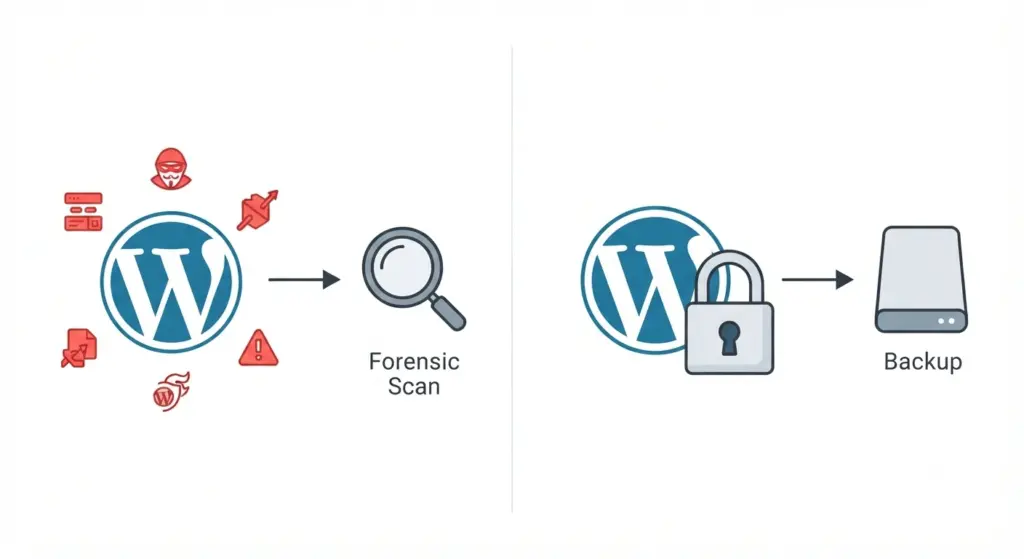
When malware is confirmed or strongly suspected, act quickly and in order. The first objective is to stop the damage from spreading and preserve evidence for later analysis. A rushed deletion can remove important clues and make reinfection more likely.
- Put the site into maintenance mode or take it offline.
- Back up the current files and database to isolated storage.
- Rotate all passwords and access keys.
- Disable unnecessary plugins and themes.
- Document visible symptoms, logs, and timestamps .
This response sequence helps you control the incident without destroying forensic evidence. It also creates a clean starting point for later cleanup and validation.
Infection Sources And Backdoors
Malware almost always leaves a persistence mechanism behind. Attackers may plant a backdoor in wp-content/uploads, theme directories, mu-plugins, wp-config.php, or even database fields that are executed later through hooks or injected JavaScript . If you only remove the visible payload and ignore persistence, the site can be reinfected within hours.
Backdoors are often disguised with ordinary-looking filenames such as class.php, cache.php, or update.php. They may use obfuscation functions like base64_decode, eval, gzinflate, or long encoded strings to hide their true behavior . Scheduled tasks and rogue cron entries are another common persistence layer, especially when attackers want the malware to reinstall itself automatically.
Malware Removal Workflow
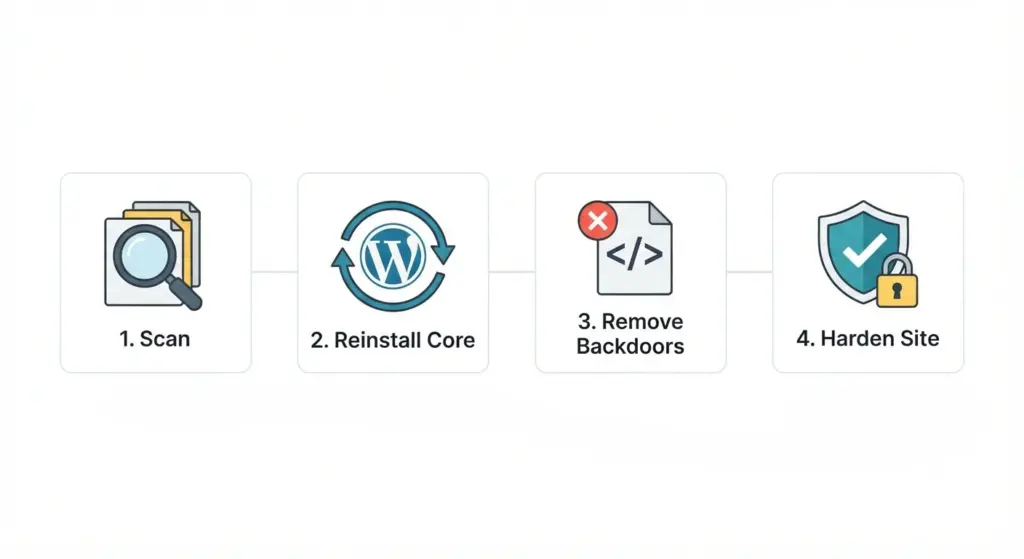
A proper wordpress malware removal workflow should be methodical. The safest approach is to work on a staging copy or isolated clone first, then deploy the cleaned version after verification . That reduces the risk of taking the live site down unexpectedly or deleting legitimate code.
1. Scan The Site
Begin with automated security scans and manual review. Tools can help identify known signatures, suspicious file changes, and exposed backdoors, but they should not be treated as the final authority . A thorough scan should include core files, plugins, themes, uploads, and the database.
2. Reinstall Core Files
Replace the WordPress core folders with clean copies from the official source. In practice, that means reinstalling wp-admin and wp-includes while preserving wp-content and wp-config.php . This step removes tampered core files and ensures the site starts from a verified baseline.
3. Rebuild Plugins And Themes
Delete unused plugins and themes completely, then reinstall only the trusted versions you need . If a plugin or theme came from an untrusted source, treat it as compromised until you can verify the code. Custom themes should be checked line by line for injected scripts, remote includes, and suspicious function calls.
4. Clean The Database
Malware often hides in wp_options, wp_posts, widgets, or custom table entries . Search for unauthorized scripts, strange redirects, spammy links, and unknown admin accounts. Database cleanup should be done carefully on a copy first, because bulk changes can break content or configuration.
5. Reset Credentials
Change every password associated with the site, including WordPress administrators, FTP, SSH, hosting control panels, database users, and API integrations . If attackers had access to credentials, leaving them unchanged is one of the fastest ways to get reinfected.
6. Harden The Site
Once the site is clean, reduce the chance of recurrence. Add two-factor authentication, restrict file permissions, enable a web application firewall, and keep software updated . Hardening is not optional; it is part of the cleanup.
High-Risk File Locations
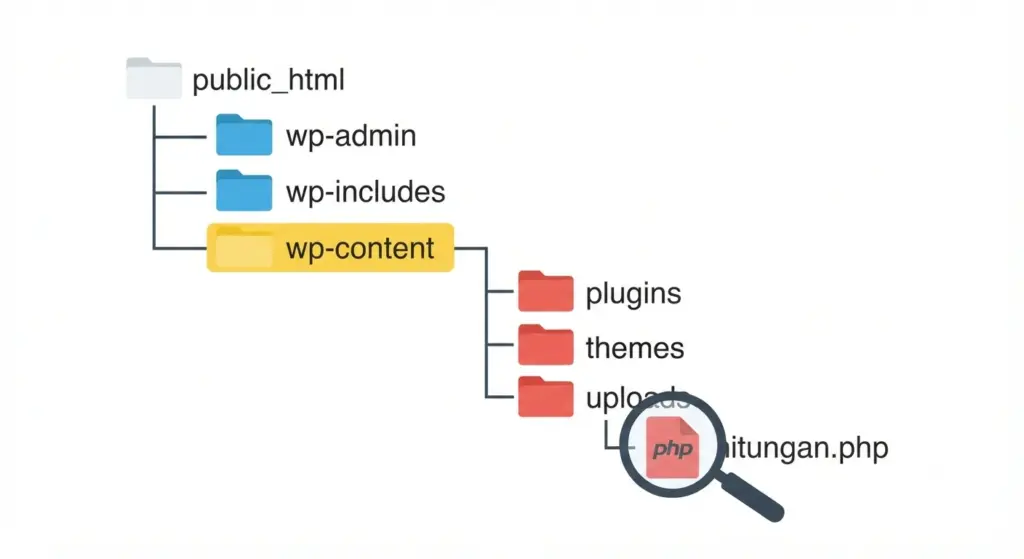
Some directories deserve extra scrutiny during cleanup. These locations are frequent hiding places for malware because they are writable, overlooked, or expected to contain user-generated content . If you only scan the obvious folders, you may miss the actual infection.
- wp-content/uploads.
- wp-content/themes.
- wp-content/plugins.
- mu-plugins.
- Root-level files like .htaccess and wp-config.php.
- Recently modified files anywhere in the installation .
Files in uploads should normally be media, not executable PHP. If you discover PHP, PHTML, PHAR, or double-extension files in uploads, investigate them immediately .
Database Cleanup Strategy
Database infections are often more subtle than file-based malware. Attackers may inject hidden iframes, spam links, malicious redirects, or obfuscated JavaScript into posts, options, or widget data . They may also create rogue users with administrator privileges so they can return later even after files are cleaned.
A strong database cleanup process includes searching for suspicious patterns, reviewing recent changes, and comparing key tables against a clean backup. Focus on wp_options, wp_posts, wp_users, and any custom tables used by plugins or membership systems. If the site is complex, the safest approach is to clean in staging first, test thoroughly, and only then push to production.
Prevention And Hardening
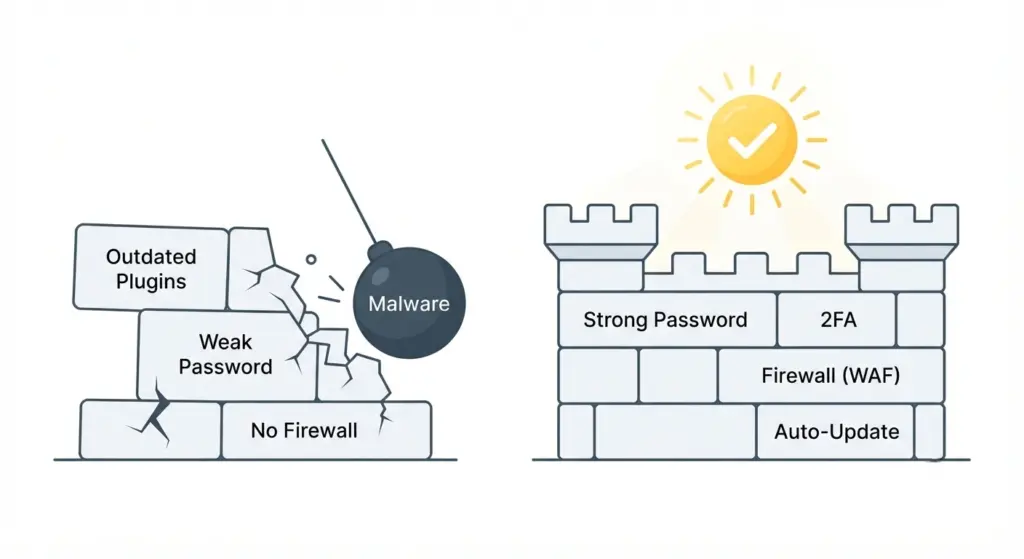
Long-term security depends on reducing exposure, not just removing malware once it appears. WordPress hardening should include strong passwords, MFA, least-privilege access, file integrity monitoring, backup discipline, and regular patching . These controls lower both the probability and impact of future attacks.
A practical hardening checklist should also include:
- Limit login attempts.
- Disable or restrict XML-RPC if it is not needed.
- Force HTTPS site-wide.
- Set correct file permissions.
- Secure wp-config.php.
- Use a firewall or CDN-based security layer.
- Remove unused accounts regularly .
These measures are especially important for business sites that handle leads, customer accounts, or online payments.
Recovery And Validation
Cleaning malware is only half the job. You still need to prove the site is safe, functional, and trusted again . That means testing front-end pages, logins, forms, checkout flows, and administrative functions after the cleanup.
You should also validate that the site no longer redirects, that the source code is clean, and that security scanners no longer flag malicious content . If search engines flagged the domain, request a review after confirming the site is clean and stable. Search visibility often recovers only after the site passes this verification stage.
Troubleshooting Guide
Some problems appear even after a cleanup. Reinfection usually means a backdoor, cron job, or stolen credential was missed . In that case, revisit the highest-risk directories, recheck access logs, and review any automation that may be restoring malicious files.
If the site still shows warnings in browsers or search results, confirm the cleaned version is what public visitors and crawlers see. If the site works in staging but not on the live server, the issue may involve cache layers, CDN content, or a compromised hosting account . A full rebuild on a clean environment may be faster than repeated patchwork cleanup in severe cases.
Service-Level Considerations
For agencies and internal teams, wordpress malware removal should be treated like an incident-response engagement. The process usually includes triage, containment, cleanup, hardening, validation, and post-incident reporting . That structure helps stakeholders understand what was fixed and what risk remains.
It also creates a clear way to document scope, turnaround time, and remediation actions for clients or management. If you plan to turn this into a service page, this section is a good place to insert your agency’s recovery metrics, response times, or before-and-after results.
FAQ
How long does wordpress malware removal take?
It depends on the infection scope. Simple injections can be cleaned in a few hours, while sites with backdoors, database malware, or server-level compromise may take longer .
Can malware come back after cleanup?
Yes, if the entry point is not fixed. Reinfection usually happens because of stolen credentials, a hidden backdoor, or an unpatched vulnerable plugin .
Should I restore from backup?
Only if the backup is known to be clean. Restoring an infected backup often brings the malware back immediately .
Is automated scanning enough?
No. Automated scanners are helpful, but manual review is still necessary for custom code, obfuscated payloads, and database infections .
Do I need to change hosting?
Not always. But if the compromise includes server-level infection, poor isolation, or repeated reinfection, moving to a clean environment is often the safest option .
What should I do after the site is clean?
Rotate credentials, harden the site, monitor logs, and request any required search engine reviews. Ongoing monitoring is what prevents a one-time cleanup from becoming a recurring incident .
Conclusion
Effective wordpress malware removal requires more than deleting infected files. It requires a complete response: confirm the compromise, isolate the site, remove every payload and backdoor, secure the environment, and validate that the site is truly clean . When done properly, the result is not just recovery, but a stronger and safer WordPress installation.
If your business needs expert help with wordpress malware removal, a professional agency can save time, reduce risk, and restore your site with a more durable security posture.