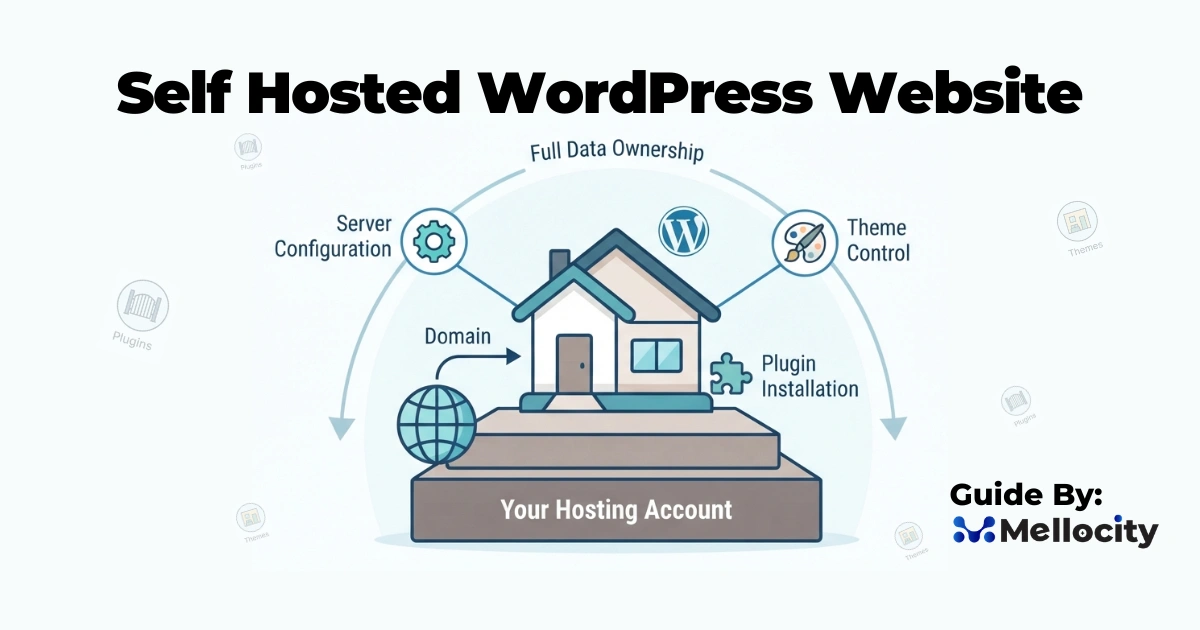
A self hosted wordpress website gives businesses full control over design, functionality, performance, and data ownership, which is why it remains one of the most flexible website platforms for serious growth . Unlike closed website builders, a self-hosted setup lets you choose your hosting, configure the server environment, install plugins freely, and shape the site around your business goals instead of platform limitations .
What a Self Hosted WordPress Website Is
A self hosted wordpress website is a WordPress installation that runs on your own hosting account rather than on a managed publishing platform, so you control the domain, server, database, themes, and plugins . In practice, WordPress acts as the content management system while the host provides the infrastructure that stores files, processes requests, and connects to the database . That separation matters because it gives you freedom to migrate providers, customize deeply, and build more advanced digital experiences.
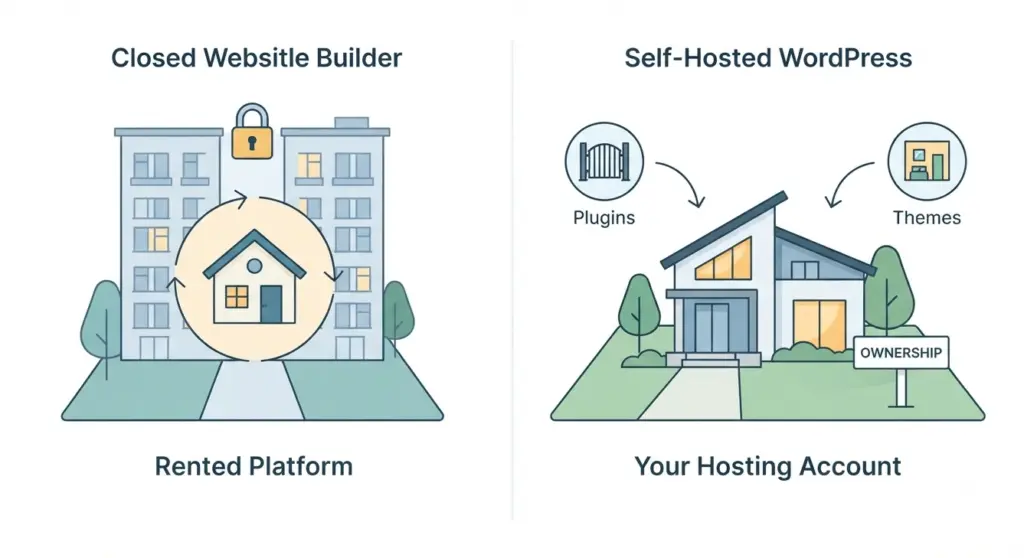
For many companies, this means the website becomes a long-term digital asset instead of a boxed-in tool . It is especially attractive when the site must support content marketing, lead generation, e-commerce, multilingual content, or custom workflows .
Why Businesses Choose It
The strongest advantage of a self hosted wordpress website is ownership. You are not locked into a limited editor or a platform’s roadmap, so you can control SEO settings, theme architecture, custom code, tracking scripts, and integration choices . That control makes it easier to align the website with brand standards, conversion goals, and technical requirements that change over time .
Businesses also choose it because it scales better than many simple website builders when content, traffic, or complexity grows . If your agency needs to build landing pages, service pages, blogs, resource hubs, or custom post types, WordPress provides a mature ecosystem for that work . For teams that want both flexibility and a familiar admin interface, the platform offers a strong balance of usability and control .
Core Architecture
A self hosted wordpress website typically has four major layers: the domain, the hosting stack, the WordPress application, and extensions like themes and plugins . The domain directs users to the server, the server handles HTTP requests, WordPress generates the page, and the database stores content and settings . This architecture is simple on the surface, but each layer influences performance, stability, and maintainability.
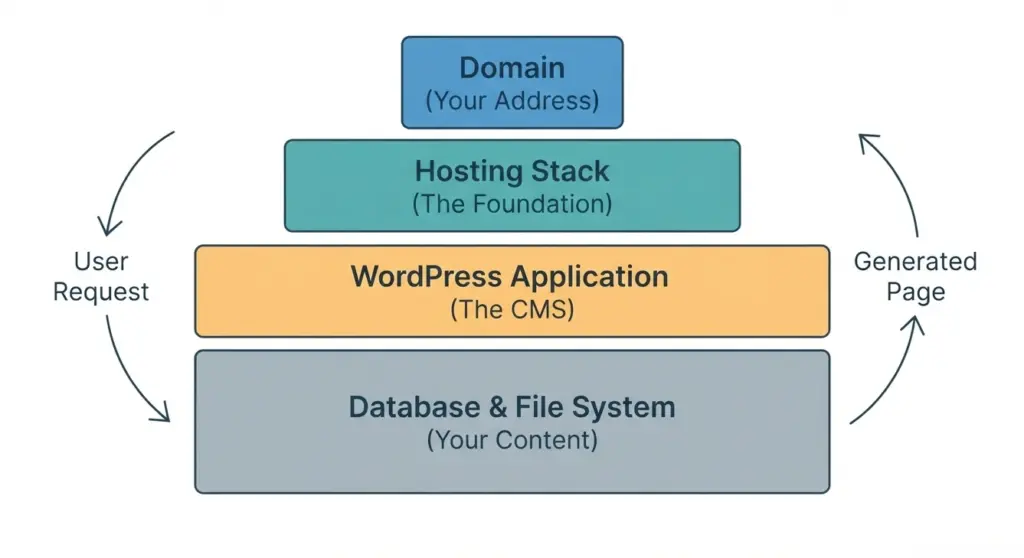
The hosting layer is often the most important technical decision because it determines server resources, security controls, uptime, and how well the site handles traffic spikes . If the host is slow or underpowered, even a well-built site can feel sluggish and unstable . That is why agencies usually treat hosting as part of the overall architecture rather than as a commodity purchase .
Setup Process
Setting up a self hosted wordpress website usually follows a predictable sequence: choose hosting, connect a domain, install WordPress, configure the theme, add essential plugins, and verify performance and security settings . Most hosting providers offer one-click installation, which reduces setup time, but production-ready configuration still requires careful planning . The goal is not just to “get WordPress online,” but to build a site that is safe, fast, and easy to maintain .
Typical setup flow
- Choose a hosting plan that matches your traffic, budget, and technical comfort level .
- Register a domain or connect an existing one and confirm DNS propagation .
- Install WordPress and secure the admin account with strong credentials .
- Select a responsive theme and define the site’s layout, menus, and homepage structure .
- Install only the plugins you need, then test each addition for performance and compatibility .
The setup process is also the best time to define governance. That includes who can publish, who can update plugins, and how backups will be handled . If those rules are established early, future maintenance becomes much easier.
Hosting and Performance
Hosting quality directly affects the speed and reliability of a self hosted wordpress website . Shared hosting may work for a small brochure site, but businesses with marketing campaigns, e-commerce, or growth plans usually need more robust resources such as VPS, cloud, or managed WordPress hosting . Better isolation, better caching, and more consistent server resources often translate into faster pages and fewer surprises during traffic growth .
Performance is not only about the server, though. Theme bloat, oversized images, excessive plugins, and inefficient database queries can slow the site even on good hosting . The best results usually come from combining reliable infrastructure with disciplined front-end and back-end optimization .
| Hosting type | Best use case | Main tradeoff |
|---|---|---|
| Shared hosting | Small sites and early-stage projects | Limited resources and weaker isolation |
| VPS hosting | Growing businesses and custom builds | Requires more technical administration |
| Managed WordPress hosting | Teams that want convenience and support | Higher monthly cost |
| Cloud hosting | Variable traffic and scaling needs | More complex setup and tuning |
Themes and Plugins
Themes control the presentation layer of a self hosted wordpress website, while plugins extend functionality such as forms, SEO, analytics, caching, security, and e-commerce . Because the platform is open and extensible, you can build an extremely lean site or a highly specialized one depending on your needs . This is one of the biggest reasons agencies prefer WordPress for custom client work .
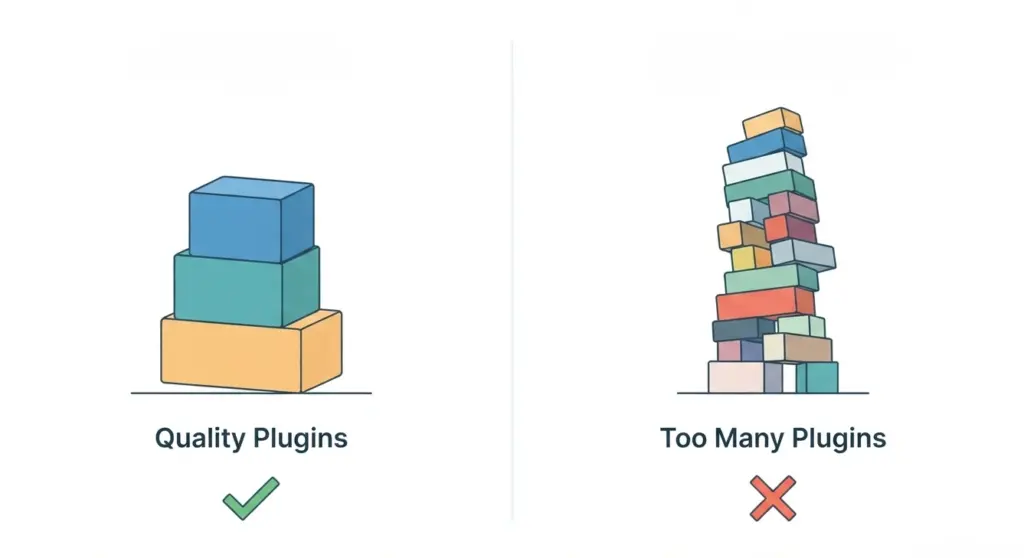
A smart plugin strategy matters. Too many plugins can create conflicts, increase load time, and make troubleshooting harder, so it is better to install only reputable tools that solve clear business problems . The same applies to themes: a lightweight, well-maintained theme usually performs better than a feature-heavy one that tries to do everything .
Practical plugin categories
- SEO plugins for metadata, schema, and sitemaps.
- Security plugins for login hardening and malware scanning.
- Caching plugins for faster page delivery.
- Form plugins for lead generation and support inquiries.
- Backup plugins for disaster recovery.
- E-commerce plugins for product catalogs and checkout flows.
Security and Maintenance
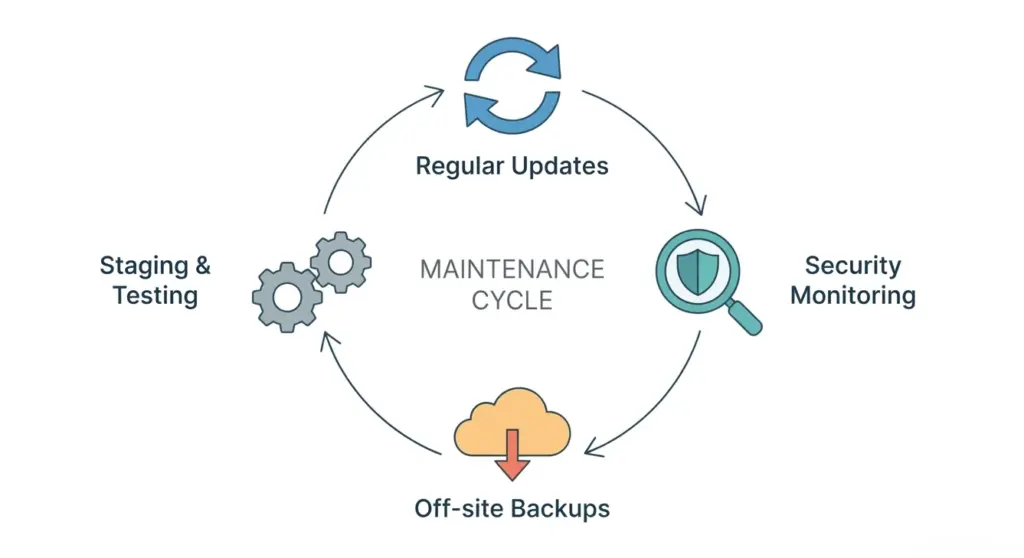
Security on a self hosted wordpress website is an ongoing responsibility, not a one-time checklist item . Common safeguards include SSL, strong passwords, two-factor authentication, limited login attempts, regular updates, off-site backups, and malware scanning . A secure setup also includes careful user role management so that editors, developers, and administrators only have the access they truly need .
Maintenance matters just as much. WordPress core, themes, and plugins must be updated routinely, but updates should be tested in staging when possible to avoid breaking the live site . Agencies often build maintenance plans around backup verification, plugin audits, uptime monitoring, and periodic performance reviews because those tasks reduce risk over time .
SEO Advantages
A self hosted wordpress website is strong for SEO because it gives you control over technical and on-page optimization . You can structure URLs cleanly, manage metadata, implement redirects, control internal linking, and improve crawlability without platform restrictions . That makes it easier to support topic clusters, service pages, comparison pages, and high-intent landing pages .
It also supports content strategies that compound over time. For example, a business can publish educational blog posts, create location pages, and build supporting resources that funnel visitors toward a conversion page . Since the site is self hosted, these assets can be designed to work together technically and strategically rather than existing as isolated pages .
When It Makes Sense
A self hosted wordpress website is usually the right choice when you need control, scalability, and long-term flexibility . It is a strong fit for agencies, service businesses, publishers, and online stores that expect the website to evolve as the business grows . It is also ideal when SEO, custom development, or integrations with CRM, ERP, or marketing tools are part of the roadmap .
For very small projects, a simpler platform may feel easier at first. But as soon as the site needs custom functionality, stronger performance tuning, or better ownership of data and infrastructure, self hosting becomes the more durable choice .
Common Issues and Fixes
Many issues on a self hosted wordpress website come from plugin conflicts, weak hosting, excessive revisions, outdated software, or poor image handling . If a page suddenly breaks, the fastest troubleshooting path is usually to isolate recent changes, disable plugins one by one, and test the theme temporarily . Server logs can also reveal PHP errors, memory limits, or database problems that the WordPress dashboard will not clearly show .
Common problems
- Slow load times caused by heavy themes or unoptimized media.
- Plugin conflicts after updates.
- Login issues caused by security rules or incorrect credentials.
- White screen or fatal error issues from broken code or memory limits.
- Backup failures caused by misconfigured storage or permissions.
The best way to prevent these issues is to use staging, keep backups verified, and avoid unnecessary software complexity . That approach gives you a more stable site and faster recovery if something does go wrong.
Best Practices
A well-managed self hosted wordpress website should be built for sustainability, not just launch speed . Start with reliable hosting, use a lightweight theme, keep the plugin stack minimal, and document your configuration choices so future updates are predictable . Image compression, caching, database cleanup, and regular audits should be part of the routine rather than emergency tasks .
Recommended practices
- Keep core, theme, and plugin updates on a schedule.
- Test major changes in staging before pushing them live.
- Use off-site backups and verify restore procedures.
- Limit admin access and review user roles regularly.
- Monitor uptime, errors, and performance metrics monthly.
- Remove unused plugins, themes, and media files.
- Build content and technical SEO together, not separately.
These practices reduce operational risk and help the website stay fast, secure, and scalable as the business expands .
FAQ
Is a self hosted wordpress website free?
WordPress software itself is open source, but a self hosted wordpress website still requires paid hosting and usually a domain name . Premium themes, plugins, and maintenance services can also add to the total cost.
Can I build an online store with it?
Yes, a self hosted wordpress website can power e-commerce stores through plugins that support products, payments, shipping, and taxes . This makes it a practical option for businesses that need both content marketing and sales capability.
Is it hard to manage?
It is manageable for most business teams, but it does require more responsibility than a closed all-in-one builder . Hosting, updates, backups, and security must be handled properly, although managed hosting and agency support can simplify the workload.
How is it different from WordPress.com?
A self hosted wordpress website gives you more freedom over plugins, themes, monetization, and server settings, while hosted platforms usually trade flexibility for simplicity . That difference becomes important as soon as custom features or serious growth enter the picture.
How do I keep it fast?
Use quality hosting, a lightweight theme, caching, image optimization, and a restrained plugin stack . Performance should be monitored continuously because growth, content expansion, and plugin changes can gradually affect speed.
Final Takeaway
A self hosted wordpress website is one of the most practical choices for businesses that value control, performance, SEO, and long-term adaptability . It gives you the freedom to build a website that fits your strategy instead of forcing your strategy to fit the platform . For teams that want a site built with the right architecture from the start, our agency can help design, develop, and optimize your self hosted wordpress website for growth.