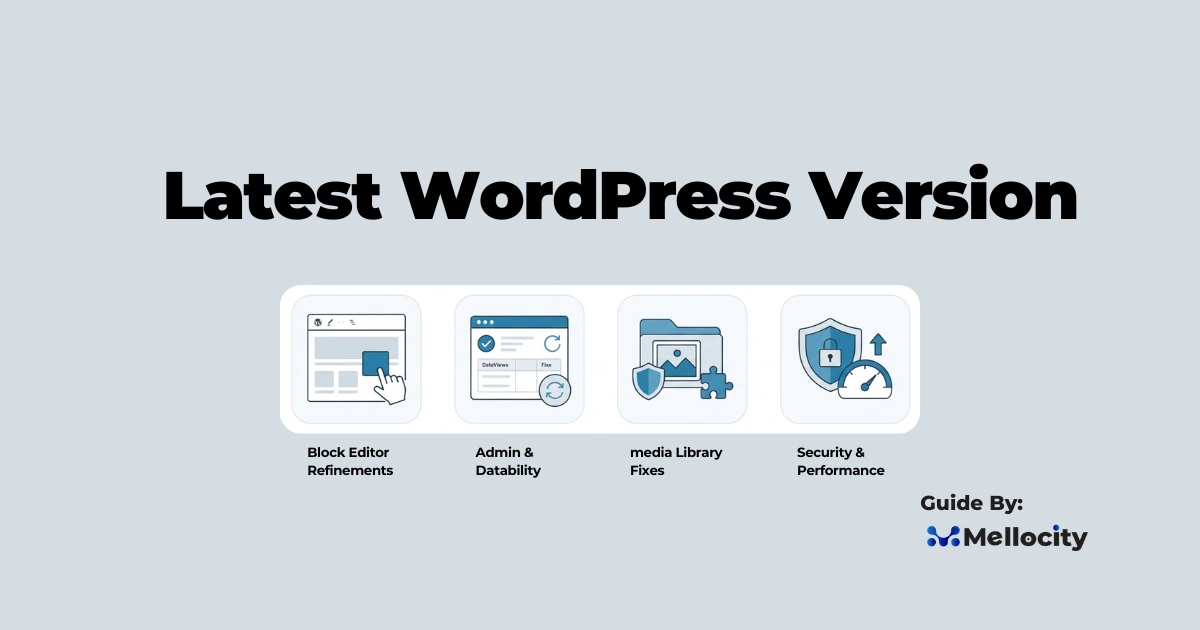
Latest WordPress Version 7.0.1 is the latest maintenance release (July 9, 2026) that fixes bugs, improves stability, and polishes features introduced in the 7.0 major release.
Quick context:
- Major release: WordPress 7.0 (May 2026), major UI redesign (DataViews), WP AI Client, new core blocks, and React upgrades.
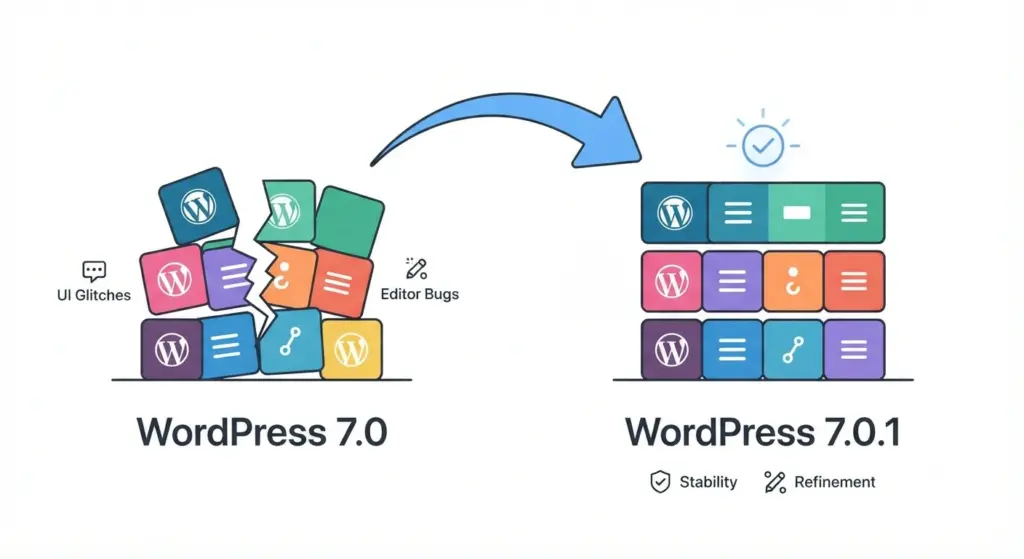
- Maintenance release: WordPress 7.0.1 (July 9, 2026) , bug fixes and refinements to stabilize 7.0’s features.
- Roadmap: 7.1 targeted for August 19, 2026 (expected further Abilities API work and React migration).
What changed in WordPress 7.0.1 :
7.0.1 is stability-focused rather than feature-packed. Here are the main areas addressed.
Block Editor refinements
- Fixed several bugs affecting block drag-and-drop and selection logic.
- Improved handling of nested blocks and edge-case layout regressions introduced in 7.0.
- Smoother saving and undo behavior for large block-based templates.
Admin interface and DataViews stability
- Resolved responsiveness issues in the redesigned admin dashboard (DataViews).
- Fixed UI regressions that caused toolbar or menu items to misalign or disappear on certain screen sizes.
- Addressed state-mismatch issues that sometimes required multiple reloads to reflect updated settings.
Media library and image handling
- Corrected regressions in image uploading and attachment metadata processing.
- Improved compatibility with popular image-optimization and lazy-loading workflows.
- Ensured plugins that hook into media upload actions behave correctly with the new media workflows.
Theme compatibility (classic themes)
- Patched regressions where classic themes experienced missing template parts or styling when mixed with block-based theme parts.
- Prevented some fatal errors caused by older themes calling deprecated hooks that 7.0 tightened.
Security and performance fixes
- Included small hardening and safer fallback behaviors that reduce attack surface in certain plugin interactions.
- Minor performance improvements in block rendering and query caching surfaced as part of bug fixes.
Who contributed : community and maintainers
7.0.1 was driven by volunteer and core contributors. Publicly noted coordinators include Aaron Jorbin, Brian Haas, Carlos Bravo, and Estela Rueda, along with many committers and triagers. The release followed standard core processes: ticket triage, patch review, commit, and packaging.
Why you should update right now :
Updating is important for security, stability, compatibility, and performance. Here’s why.
Security is non-negotiable
- Known vulnerabilities get patched rapidly; running an older release leaves a known entry point for attackers.
- Outdated WordPress core, themes, or plugins remain the most common cause of compromised sites.
Stability and user experience
- 7.0 introduced significant changes (editor, DataViews). 7.0.1 smooths user-facing glitches that break editing flows or confuse admins.
Plugin and theme compatibility
- Plugin authors will update to target the stable 7.0.x branch. Staying current reduces unexpected breakage.
How to update safely : step-by-step checklist
Follow this practical, low-risk process for updates.
1) Full backups (database + files)
- Use a trusted backup method: host snapshots, UpdraftPlus, BackWPup, or managed backup solutions.
- Store backups off-site (S3, Google Drive, Dropbox) and verify you can restore them.
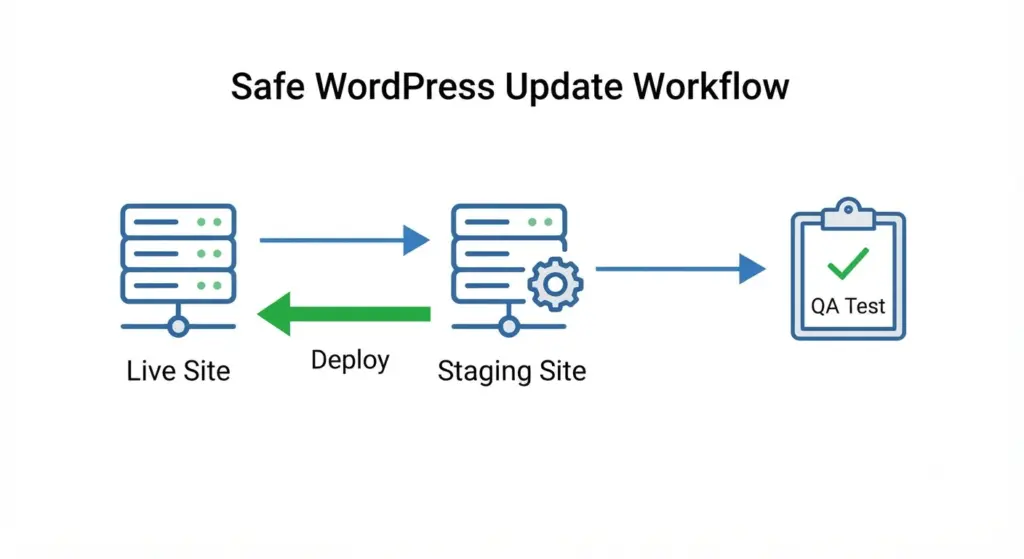
2) Create or use a staging environment
- Clone your live site to staging (most managed hosts offer this).
- Run updates on staging first and test critical features (forms, checkout, media workflows).
3) Update order and dependencies
- Recommended order:
- Update plugins and themes first (on staging), ensuring compatibility notes are checked.
- Update WordPress core to 7.0.1.
- Clear caches (server, plugin caches) and purge CDN (e.g., Cloudflare).
4) Test thoroughly
- Walk through pages on mobile and desktop, complete key flows (checkout, login), upload media, and test scheduled jobs.
- Use browser devtools to check for JavaScript errors.
- Visit Tools → Site Health for warnings after updates.
5) Rollout to production
- Repeat the verified sequence on production during a low-traffic window.
- Monitor logs and analytics for spikes in errors or traffic anomalies.
Common issues after updating and how to fix them
Here are frequent post-update problems and practical solutions.
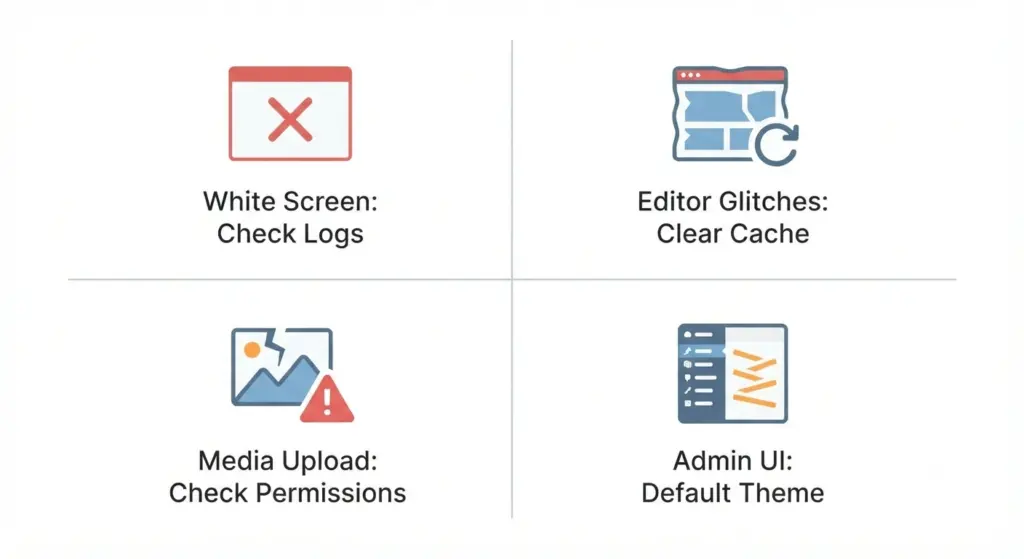
White screen of death (WSOD)
- Likely causes: plugin conflict or PHP fatal error.
- Actions: enable debug logging (set WP_DEBUG_LOG to true), inspect wp-content/debug.log, rename plugins folder to disable plugins and enable one-by-one to find the culprit, and restore from backup if needed.
Block editor misbehavior or broken layouts
- Clear object cache and browser cache.
- Deactivate plugins that affect editor flows (page-builders, block collections) and re-test.
- Rebuild or adjust server-registered block templates if using theme-provided templates.
Media upload failures
- Check upload directory permissions (wp-content/uploads), confirm PHP memory_limit and post_max_size/upload_max_filesize.
- Temporarily disable image-optimization plugins and retest.
Admin UI glitches
- Test with a default theme (e.g., Twenty Twenty-something) and temporarily disable admin-style plugins.
- If a theme causes issues, look for an updated theme version or apply compatibility patches.
Developer notes :
Key technical takeaways for plugin and theme developers.
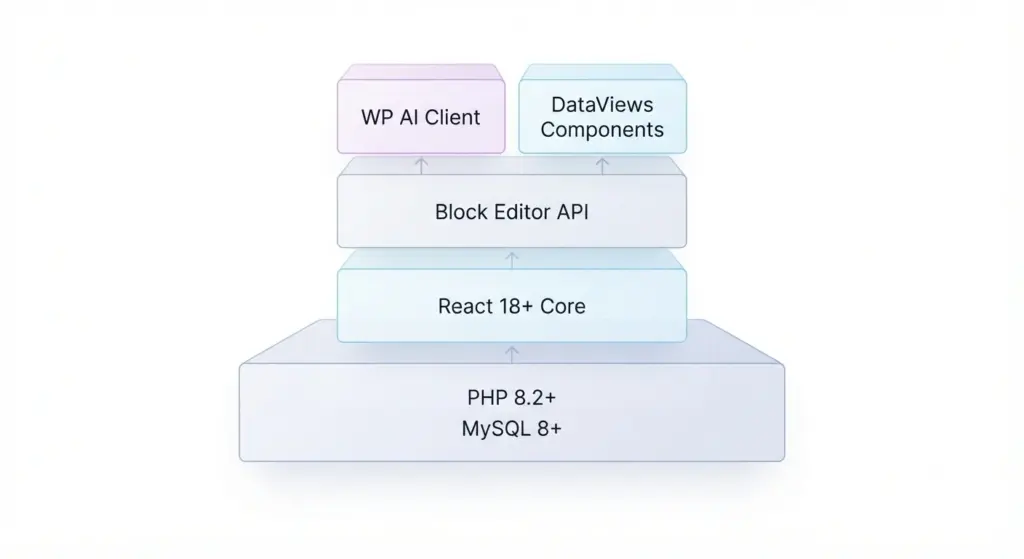
WP AI Client (what it is and how to use it)
- 7.0 introduced a native WP AI Client: a provider-agnostic interface for interacting with AI models (meta descriptions, alt text, copy assist).
- Developers should use the standardized client API so provider swaps don’t require plugin rewrites.
- If you build AI features, use core filters/actions and avoid hard-coding provider endpoints.
DataViews admin system , building with it
- DataViews enables structured, data-driven admin screens. Learn its component model to create fast list views and analytics pages.
- Ensure custom admin JS/CSS doesn’t conflict with DataViews classnames or scripts.
React migration and Gutenberg
- 7.0 continued React upgrades, mismatched React builds in plugins can cause runtime issues. Test blocks against the React version bundled with core.
- Use block.json and register_block_type and follow official block-development patterns.
Abilities API and capability checks
- 7.1 is expected to expand the Abilities API. Start auditing capability checks using current APIs so you can adopt the refined Abilities layer when released.
Performance implications of 7.0.1
What changed and how to capitalize on it.
Core-level improvements
- Small optimizations in block rendering and queries improve editor responsiveness and initial loads.
- For server-side rendered blocks, test cache invalidation since query changes can affect transient lifetime.
CDN and caching considerations
- Purge CDN caches after the update to avoid serving mixed-version assets.
- Revisit cache TTLs for frequently edited dynamic content (block-based homepages).
SEO and content considerations with 7.0 and 7.0.1
How the updates affect search and content workflows.
AI-assisted metadata
- WP AI Client can auto-generate meta descriptions and alt text , useful but always review for accuracy and brand voice.
- Have editorial oversight to validate AI-generated content and ensure keyword relevance.
Speed and Core Web Vitals
- 7.0.1’s small fixes help Core Web Vitals, but larger wins come from optimized images (WebP/AVIF), efficient themes, and proper caching.
- Use Lighthouse or WebPageTest to verify metrics post-update.
Plugin and theme compatibility :
What to check before upgrading.
- Check plugin changelogs for explicit “Compatible with WordPress 7.0/7.0.1” notes.
- Update plugins to latest releases on staging first.
- For custom themes, run WP_DEBUG and fix deprecated-function warnings; update theme code where necessary.
- Replace abandoned plugins with maintained alternatives.
Hosting considerations
How hosting environment affects upgrade success.
PHP version
- Use a modern, supported PHP version (PHP 8.x recommended). Hosts should support PHP 8.1/8.2 or newer for better performance and security.
- If legacy plugins require older PHP, plan replacements or compatibility strategies.
Database and object caching
- Ensure MySQL/MariaDB meet WordPress requirements and object caches (Redis/Memcached) are configured and tested with updated query patterns.
Accessibility and internationalization (i18n)
How 7.0.x impacts inclusivity and translations.
- 7.0 continued improvements to accessibility: better ARIA attributes and keyboard navigation in blocks and admin flows.
- For multilingual sites, update translation files (PO/MO) because string changes may require refreshed translations.
Monitoring and post-update best practices
Track and be ready to respond after updates.
Logs and uptime monitoring
- Keep server and application logging enabled for at least 72 hours post-update to catch PHP errors and slow queries.
- Use uptime monitors (UptimeRobot) and observability tools (New Relic, Query Monitor).
User feedback and rollback plan
- Ask power users and editors to test editing flows.
- Keep a quick rollback plan (host snapshot or backup restore) to revert critical failures.
Migration planning : if you’re upgrading from much older versions
Strategies when moving from WordPress 5.x or earlier 6.x releases.
From 5.x or 6.x to 7.0.x , major considerations
- Major changes include the editor rewrite, DataViews admin, WP AI Client, and React updates.
- Audit custom code for deprecated functions and changed block data structures.
- Plan a phased migration: testing → opt-in beta on non-critical property → full rollout.
What 7.1 might bring :
Expectations based on current roadmap signals.
Expected focuses for 7.1
- Deeper Abilities API integration with finer-grained capabilities (core/read-settings, core/read-content).
- Further React upgrades (React 19 testing).
- Continued refinement of WP AI Client and block tooling.
- Proposed release date: August 19, 2026 (WordCamp US timing).
Business and editorial workflow impacts
How site teams should adapt.
Training editors on the updated editor and AI features
- Provide short documentation and training for content teams:
- How AI-assisted metadata suggestions appear and where to edit them.
- New core blocks (Breadcrumbs, Icons) and best-use cases.
- How to revert edits and manage reusable blocks.
Governance for AI-generated content
- Create an editorial policy: define when AI suggestions can be used, who must review them, and how to preserve brand voice and factual accuracy.
Security hygiene beyond core updates
Routine practices that reduce risk.
- Enforce least-privilege user roles and audit accounts.
- Use a Web Application Firewall (WAF) and host-level protections.
- Keep plugins/themes updated and remove unused ones.
- Use two-factor authentication for admin accounts and enforce strong passwords.
- Run periodic malware scans (Sucuri, Wordfence , pick actively maintained tools).
Real-world examples and case studies (short)
Brief, practical examples of how sites handled 7.0.1 upgrades.
Small business blog
- Situation: Local shop on 6.9 with a few plugins.
- Action: Tested on staging, updated plugins, found a plugin causing an editor JS error, replaced plugin with a maintained alternative, rolled out update, editor performed faster and no downtime occurred.
Media-heavy magazine site
- Situation: High-volume media uploads and custom workflows.
- Action: Verified media fixes on staging, increased PHP upload limits, validated image-processing plugins, purged CDN on release; author workflows remained intact.
FAQs :
Common questions and concise answers.
Is 7.0.1 a security release?
- No , it’s a maintenance release focused on bug fixes and small hardenings, not a security-only release. Apply it for stability and incremental security benefits.
Will my classic theme break?
- Possibly if it depends on deprecated behavior. Test on staging and update or patch the theme if needed.
Can I skip 7.0.1 and wait for 7.1?
- You could, but it’s not recommended. 7.0.1 fixes real-world regressions; delaying increases exposure to bugs that are already patched.
Checklist : pre-update, during update, post-update
Concise action items you can copy-paste into your update plan.
Pre-update checklist
- Create a full off-site backup (database + files) and verify restore.
- Clone site to staging and confirm it’s an exact copy.
- Review plugin and theme changelogs for 7.0 compatibility.
- Schedule the update during a low-traffic window.
During update checklist
- Update plugins/themes on staging first, then core.
- Monitor error logs and server metrics during the update.
- Clear caches and purge CDN after updates.
Post-update checklist
- Test critical user journeys (checkout, login, uploads).
- Check Tools → Site Health and debug logs.
- Monitor analytics and logs for anomalies for 72 hours.
- Inform editorial and support teams of the change.
Tools and resources
Handy links and utilities to help with the process:
- Official WordPress release notes and ticket tracker: check core.trac.wordpress.org and make.wordpress.org.
- Site Health: Tools → Site Health in WP admin.
- Debugging: Query Monitor plugin, WP_DEBUG, server error logs.
- Staging and backups: managed host staging, UpdraftPlus, host snapshots.
- Performance testing: Lighthouse, WebPageTest, GTmetrix.
- Security scanning and WAF: Cloudflare WAF, Sucuri, Wordfence (choose actively maintained solutions).
Final thoughts :
WordPress 7.0.1 is a must-install maintenance release for sites on 7.0 or preparing to adopt it. It stabilizes major user-facing changes introduced in 7.0: DataViews admin, WP AI Client, new core blocks, and editor architecture improvements. For site owners and developers, treat 7.0.1 as an opportunity to:
- Update safely on staging, verify plugins/themes, and document custom code changes.
- Adopt modern practices (object caching, PHP 8.x, accessibility).
- Establish editorial governance for AI-generated content.