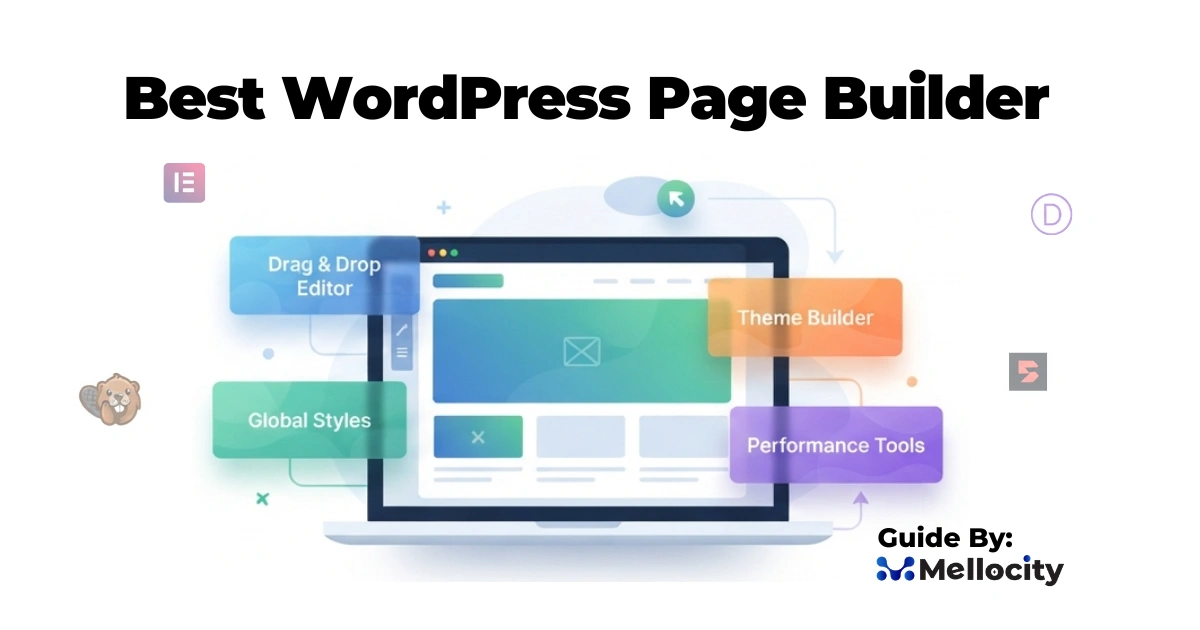
The best WordPress page builder for your business is the one that balances performance, design flexibility, workflow efficiency, and long‑term maintainability for your specific use case—not just the one with the most features. In practice, that usually means choosing between a handful of mature builders (Elementor, Divi, Bricks, Beaver Builder, Breakdance, etc.) and mapping their strengths to your technical stack, team skills, and growth plans.
Best WordPress Page Builder:
Choosing the best wordpress page builder is now a strategic decision, not just a design preference. WordPress powers a large portion of the web, and modern builders have evolved into full site‑building platforms with theme builders, WooCommerce tools, and AI features, so your choice impacts performance, SEO, scalability, and maintenance over years.
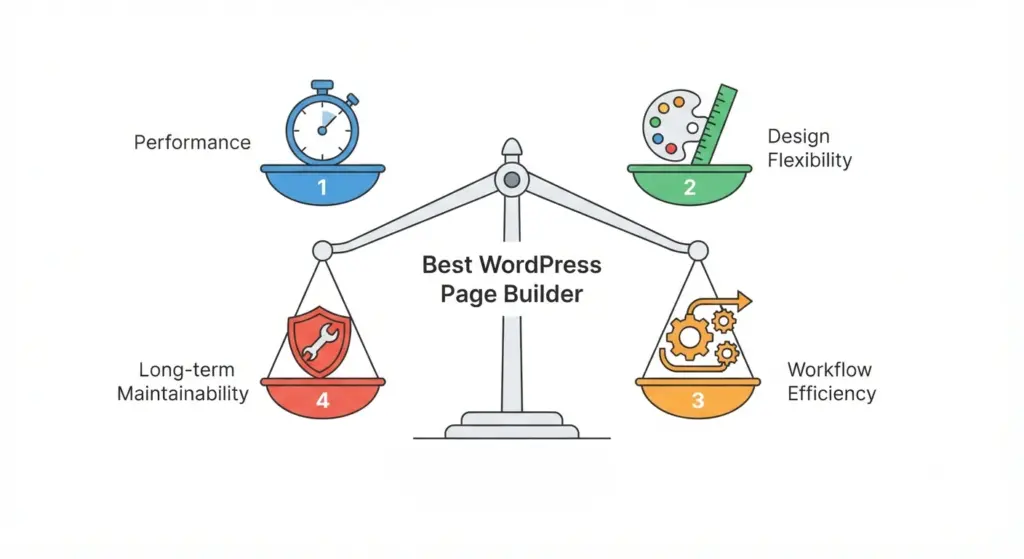
For small business owners, CTOs, and e‑commerce managers, understanding how builders differ in speed, features, and cost is essential before standardizing on one tool.
What Makes a WordPress Page Builder “Best”?
Performance and Page Speed
Modern WordPress page builders can significantly affect how fast your site loads.
- Some builders output lean HTML and CSS and keep JavaScript to a minimum, which helps core metrics like Largest Contentful Paint (LCP) and Interaction to Next Paint (INP).
- Others ship many global scripts and complex DOM structures, which can slow down mobile devices and increase overall page weight.
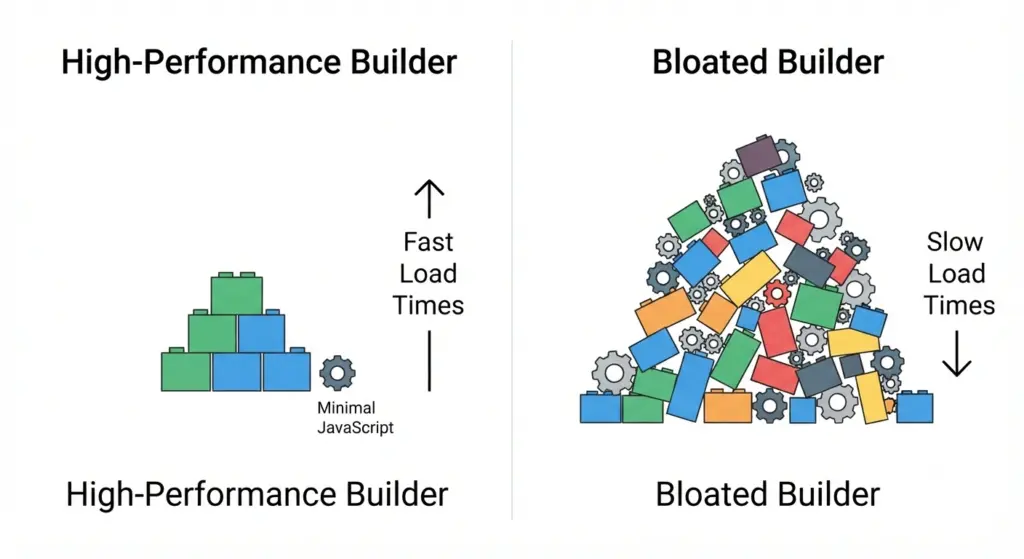
When assessing the best wordpress page builder for performance, look at:
- How much CSS/JS is loaded per page.
- Whether the builder supports asset optimization features (lazy loading, conditional script loading).
- How well it works with caching plugins and CDNs.
Design Flexibility and Layout Control
A strong builder lets you build complex layouts without hacks or extra plugins.
- Precise control over spacing, typography, grid systems, and responsive settings.
- Global styles and design tokens so you maintain a consistent brand across the site.
- Template and block libraries for reusable sections like headers, footers, and CTAs.
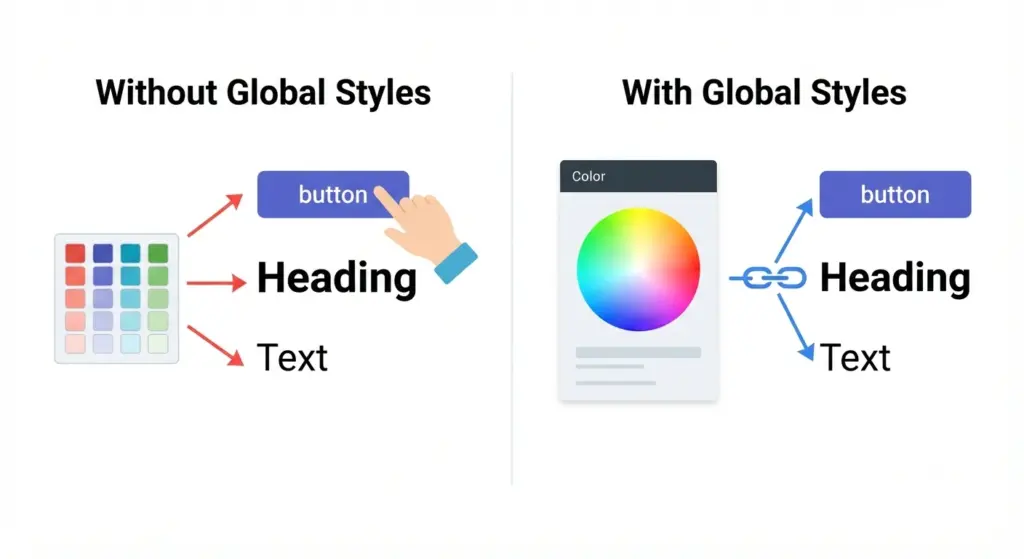
For agencies and in‑house teams, design flexibility is critical because it determines how quickly you can ship new landing pages, campaigns, and UI changes.
Code Quality and Developer‑Friendliness
Developers care about what the builder outputs behind the scenes.
- Clean, readable markup reduces bugs and makes customizations easier.
- Minimal reliance on shortcodes or proprietary structures lowers lock‑in risk.
- Hooks, filters, and APIs allow seamless integration with custom plugins and external systems.
If your team regularly adds custom functionality, the best wordpress page builder will be one that respects WordPress standards and doesn’t fight with your codebase.
Workflow, Reusability, and Collaboration
Page builders are also workflow tools.
- Component libraries let you reuse sections, patterns, and templates across multiple pages and sites.
- Role‑based controls ensure content editors can safely update copy and images without breaking layout.
- Integration with staging and version‑control practices helps you roll out changes safely.
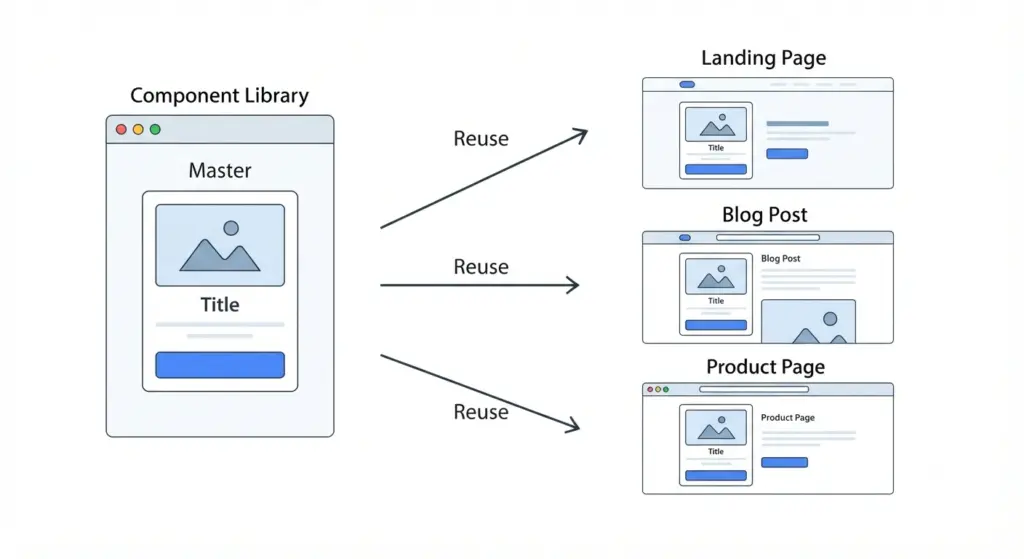
For businesses with multiple editors and stakeholders, this organizational layer is often more important than raw feature count.
Ecosystem, Support, and Longevity
A builder’s ecosystem and update cadence matter for long‑term reliability.
- Active development and regular updates ensure compatibility with the latest WordPress and PHP versions.
- Documentation, tutorials, and community groups make onboarding and problem‑solving easier.
- Add‑on ecosystems provide advanced widgets, integrations, and niche functionality without custom coding.
A “best” builder should feel like a stable platform, not a short‑lived experiment.
Overview of Major WordPress Page Builders
Elementor
Elementor is one of the most widely used WordPress page builders and offers a full visual site building experience.
Key Features
- Drag‑and‑drop editor with a large widget library (headings, forms, sliders, posts, galleries, etc.).
- Theme Builder for custom headers, footers, single posts, archives, and WooCommerce templates.
- Extensive template library with pre‑built pages, kits, and blocks.
- Global styles to manage typography and colors across your site.
Performance and Use Cases
- Performance depends heavily on configuration and use of features; excessive widgets and animations can slow pages, but careful design plus caching can keep sites fast.
- Well‑suited to small businesses, agencies, and e‑commerce stores that need flexibility and a rich design toolkit.
Pricing
- Free version with core widgets and basic features.
- Paid plans unlock advanced widgets, theme builder, WooCommerce builder, and extra site activations.
Elementor is often considered among the best wordpress page builder options for users who want powerful visual control without deep coding.
Divi Builder
Divi, from Elegant Themes, combines a multipurpose theme with a visual builder.
Key Features
- Visual front‑end editor with inline text editing.
- Large library of pre‑made layouts and design packs.
- Global elements and styles for reusable design components.
- Built‑in split testing (A/B testing) directly within the builder.
Performance and Use Cases
- Divi can be heavier if many modules and effects are used, but performance can be optimized with proper asset management and caching.
- Particularly attractive for users who want a tightly integrated theme + builder ecosystem and built‑in conversion tools.
Pricing
- Annual and lifetime licenses that cover all Elegant Themes products.
- Includes Divi Theme, Divi Builder plugin, and other related tools.
Divi appeals to designers and marketers who value visual presets and integrated testing tools as part of their workflow.
Bricks Builder
Bricks Builder is a newer, developer‑friendly visual builder focusing on performance and modern features.
Key Features
- Visual builder that outputs lean HTML with a focus on clean markup.
- Built‑in support for dynamic data, custom fields, and relationships.
- Theme‑level control for headers, footers, templates, and complex layouts.
- Advanced features like conditional logic, query loops, and responsive controls.
Performance and Use Cases
- Designed with performance as a core goal, aiming to keep output lightweight and fast.
- Well‑suited to agencies, developers, and technical teams building complex, high‑traffic sites or custom applications.
Pricing
- Paid licenses with a one‑time or annual model, often allowing multiple sites.
- Focused on a pro audience rather than casual users.
Bricks is frequently mentioned as a top contender for the best wordpress page builder when performance and developer control are top priorities.
Beaver Builder
Beaver Builder is known for stability, simplicity, and a developer‑friendly approach.
Key Features
- Front‑end drag‑and‑drop builder with a straightforward interface.
- Clean code output and conservative use of shortcodes.
- Beaver Themer add‑on for building headers, footers, archives, and more.
- Good compatibility with many themes and plugins due to conservative design choices.
Performance and Use Cases
- Tends to produce relatively clean, predictable layouts that work well with caching and optimization plugins.
- Favored by agencies and developers who prioritize stability and maintainability over cutting‑edge features.
Pricing
- Limited free version, with most functionality in paid plans.
- Licenses commonly allow multiple sites and include premium modules and support.
Beaver Builder stands out as a “safe” long‑term builder that fits well into professional, multi‑site, and corporate environments.
Breakdance
Breakdance is a newer visual builder focusing on modern UX and powerful design features.
Key Features
- Intuitive visual editor with advanced layout controls.
- Strong support for WooCommerce templates and e‑commerce elements.
- Rich library of modern widgets and design presets.
- Emerging AI‑assisted tools for content and layout generation (depending on version).
Performance and Use Cases
- Designed for speed and modern standards, but actual performance depends on configuration and usage.
- Attractive to designers and teams that want a fresh, modern interface and strong WooCommerce tooling.
Pricing
- Commercial licensing with options for individual sites and agency use.
- Continuous development and updates as the product matures.
Breakdance is gaining recognition among professionals looking for a balance of modern UX, e‑commerce features, and visual flexibility.
Other Notable Options (Short List)
While the focus is on major builders, several other tools may be “best” for specific needs:
- Kadence Blocks / Spectra (block‑based builders)
Extend Gutenberg with advanced blocks and design controls, ideal for users who want to stay close to core WordPress. - WPBakery Page Builder
Older but widely used, especially in bundled themes; offers many modules but can be heavier and more shortcode‑based. - SeedProd
Focused on landing pages and coming soon pages, with strong marketing integrations.
These can be excellent in specific scenarios but are less commonly used as universal site‑wide builders compared to Elementor, Divi, Bricks, Beaver Builder, and newer full‑site tools.
Free vs Premium WordPress Page Builders
Many of the best wordpress page builder options offer both free and paid versions, or have free alternatives with similar philosophies.
Free Builders and Plugins
- Elementor’s free version provides core widgets and basic design tools suitable for simple sites and landing pages.
- Block‑based builders (Kadence Blocks, Spectra, etc.) have generous free tiers that enhance Gutenberg with advanced layouts and features.
- Some themes include lightweight built‑in builders tailored to that specific theme.
Free versions are ideal for:
- Small brochure sites with limited complexity.
- Users testing a builder before committing to a premium license.
- Hobby projects and prototypes.
Premium Builders and Add‑Ons
Paid versions typically unlock:
- Theme builders: custom headers, footers, archive and single layouts.
- Advanced widgets: dynamic content, WooCommerce elements, forms, marketing integrations.
- Enhanced support, regular updates, and additional site activations.
Premium builders make more sense when:
- Your site is central to revenue (e‑commerce, SaaS, lead generation).
- You need robust WooCommerce templates and conversion‑focused components.
- You manage multiple client sites and require support, updates, and licensing flexibility.
How to Choose the Best WordPress Page Builder for Your Needs
1. Define Your Requirements
Before comparing tools, list out:
- Site type: brochure, blog, SaaS marketing, e‑commerce, membership, etc.
- Priorities: performance, design freedom, ease of use, developer control, or all of the above.
- Team roles: who will design, who will edit content, and who will maintain the site.
Clear priorities prevent you from chasing features you don’t actually need.
2. Decide on a Workflow Style
Ask how you prefer to build:
- Drag‑and‑drop everything visually, or keep layouts relatively simple?
- Maintain a central design system, or design each page independently?
- Rely on pre‑made templates, or build most layouts from scratch?
A builder like Elementor or Divi suits visually driven workflows, while Bricks or Beaver Builder align better with structured, developer‑friendly workflows.
3. Evaluate Performance and Compatibility
Before standardizing a builder:
- Test a sample page on your hosting and measure load times and key metrics.
- Check compatibility with your preferred theme, WooCommerce, and essential plugins.
- Confirm that caching, minification, and CDN tools work smoothly with the builder.
Performance and compatibility checks early on will save you from costly refactoring later.
4. Review Ecosystem and Support
Consider:
- Availability of quality add‑ons (widgets, modules, extensions).
- Documentation, tutorials, and learning resources.
- Access to support (tickets, live chat, community forums).
The best wordpress page builder for your team will be the one you can learn, use, and troubleshoot efficiently.
5. Consider Long‑Term Maintenance and Lock‑In
Finally:
- Check how the builder stores content (shortcodes, custom markup, block‑based, etc.).
- Understand what happens if you deactivate the builder (does content remain readable?).
- Look at update history to gauge how stable and future‑proof the tool appears.
Balancing convenience today with maintainability tomorrow is crucial for business‑critical sites.
FAQ: Best WordPress Page Builder
Q: Which is the best WordPress page builder overall?
A: There is no single best WordPress page builder for every site. Elementor, Divi, Bricks, Beaver Builder, and other modern tools all excel in different areas. The best choice depends on your priorities—visual design flexibility, performance, developer‑friendliness, or ease of use for non‑technical editors.
Q: What is the best free WordPress page builder?
A: For many users, Elementor’s free version is one of the most feature‑rich free options, offering a visual editor and core widgets without cost. Enhanced block libraries such as Kadence Blocks and Spectra also provide powerful, free Gutenberg‑based alternatives.
Q: Which page builder is best for WooCommerce?
A: Builders that include dedicated WooCommerce widgets and templates—such as Elementor Pro, Divi, Bricks, and Breakdance—are commonly chosen for WooCommerce sites. The best option depends on whether you prioritize design presets, performance, or developer control.
Q: Is Gutenberg better than using a page builder?
A: Gutenberg is the default WordPress editor and is sufficient for many content‑centric sites, especially when paired with a well‑designed theme. Page builders become more useful when you need complex layouts, reusable components, or advanced marketing pages that go beyond what the core block editor easily provides.
Q: Will a page builder slow down my site?
A: A page builder can slow down a site if used without optimization, especially when many global scripts, animations, and heavy modules are added. However, with careful design, asset optimization, caching, and responsible use of features, modern builders can still deliver fast, high‑performing pages.