You can build a fast, secure, and SEO-friendly WordPress site in 2026 using high-quality free themes like Astra, GeneratePress, Kadence, Blocksy, and Neve; pick a lightweight, well-maintained theme, evaluate Core Web Vitals and compatibility, and use a container-theme + builder approach for best results.
The state of free WordPress themes in 2026 :
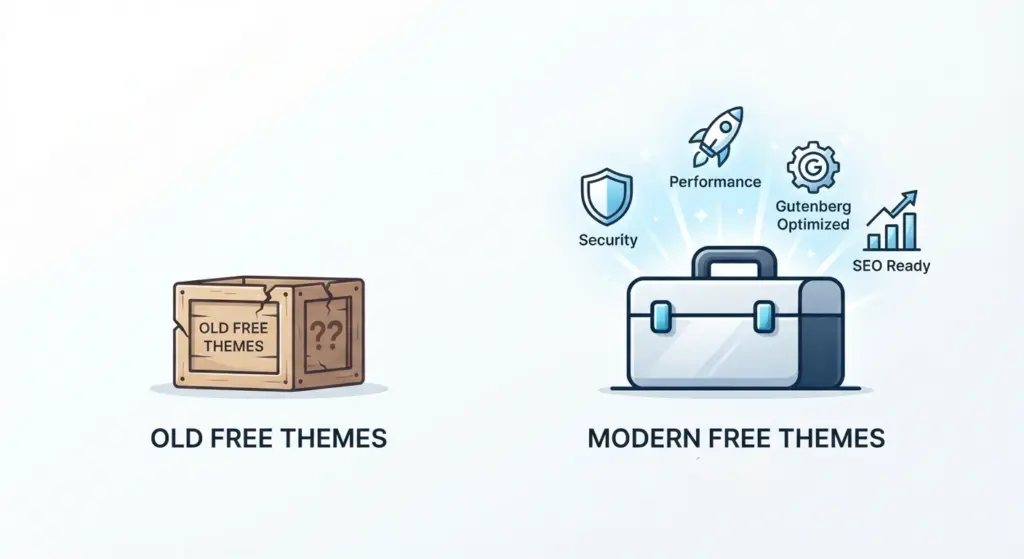
The WordPress ecosystem in 2026 has matured. Free themes are no longer “cheap” or insecure by default — many follow performance-first principles, ship with modern Gutenberg optimizations, and include schema and accessibility basics. WordPress.org themes go through a review process, so the best free themes are production-ready for blogs, portfolios, small businesses, and even e-commerce stores.
How to choose a free theme: SEO and performance criteria
- Last updated: prefer themes updated within the last 3–6 months to ensure compatibility with WordPress core and plugins.
- Active installations and reviews: themes with high active installs and many recent, constructive reviews are more reliable.
- Lightweight baseline: a default theme footprint under ~100KB (CSS + JS) and minimal render-blocking assets is ideal for Core Web Vitals.
- Core Web Vitals readiness: LCP, FID (or INP), and CLS should be achievable without heavy optimization work.
- Mobile-first design: responsive layout and touch-friendly UI are mandatory for mobile-first indexing.
- Schema and semantic HTML: built-in structured data (articles, breadcrumbs, organization) helps organic visibility.
- Accessibility (A11y): keyboard navigation, ARIA attributes, and semantic headings improve usability and SEO.
- Plugin compatibility: WooCommerce, major page builders, caching, and SEO plugins should work without conflicts.
- Support and documentation: active support forums or docs reduce friction when customizing.
- No hidden bloat: avoid themes that bundle unnecessary slider/carousel libraries, heavy icon fonts, or excessive jQuery.
Top free WordPress themes (2026) :
These five themes are widely used, actively maintained, and optimized for modern WordPress workflows.
Astra — fastest-common foundation
- Best for: small businesses, agencies, and page-builder workflows.
- Why it works: extremely small base footprint, wide starter-template library, and compatibility with Elementor, Beaver Builder, and Gutenberg.
- SEO perks: fast LCP potential, clean markup, schema-ready where applicable.
GeneratePress — minimal, modular, developer-friendly
- Best for: developers and performance-obsessed site owners.
- Why it works: modular features (enable only what you need), excellent Gutenberg support, and rock-solid stability.
- SEO perks: predictable output, lightweight CSS, and easy to audit.
Kadence — premium-features in the free tier
- Best for: creators who want a professional design without a page builder.
- Why it works: header/footer builder in the free version, deep Gutenberg integration, and useful starter templates.
- SEO perks: semantic markup and good responsive controls.
Blocksy — modern UI and React-driven admin
- Best for: designers who want native block-editor control and a polished look.
- Why it works: React components in the customizer, advanced typography, and flexible header options.
- SEO perks: clean block markup, quick load times with default settings.
Neve — AMP-ready and plugin-friendly
- Best for: blogs, landing pages, and startups.
- Why it works: AMP compatibility, modularity, and wide plugin support.
- SEO perks: AMP support for faster mobile pages, and straightforward optimization.
The container-theme + builder strategy :
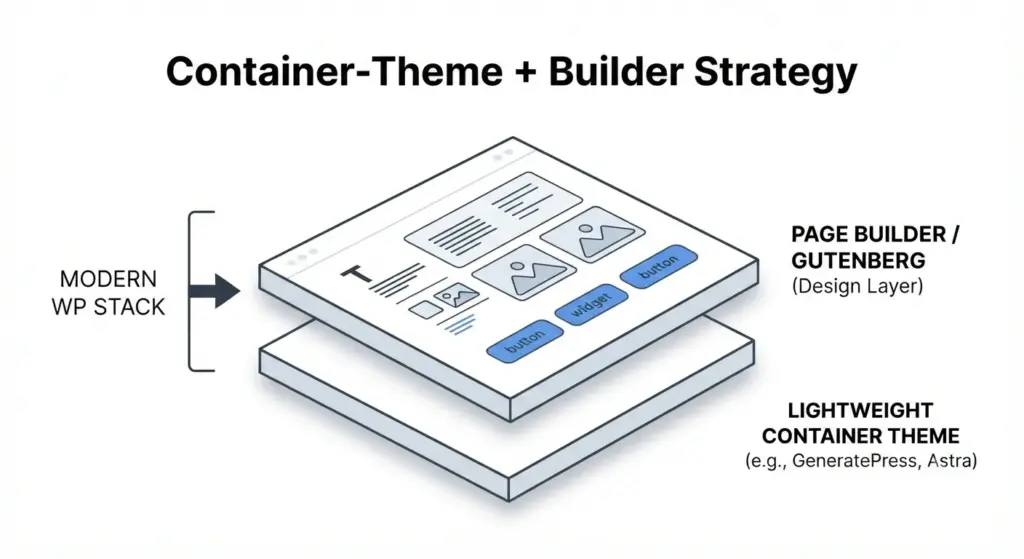
- Concept: use a lightweight “container” theme (GeneratePress, Hello Elementor, Astra) purely for its performance and compatibility, then design with a page builder or Gutenberg.
- Benefits: keeps base code minimal, avoids theme-imposed styling conflicts, and lets you control what loads on each page.
- When to use: if you want pixel-perfect layouts, complex landing pages, or localized performance tuning.
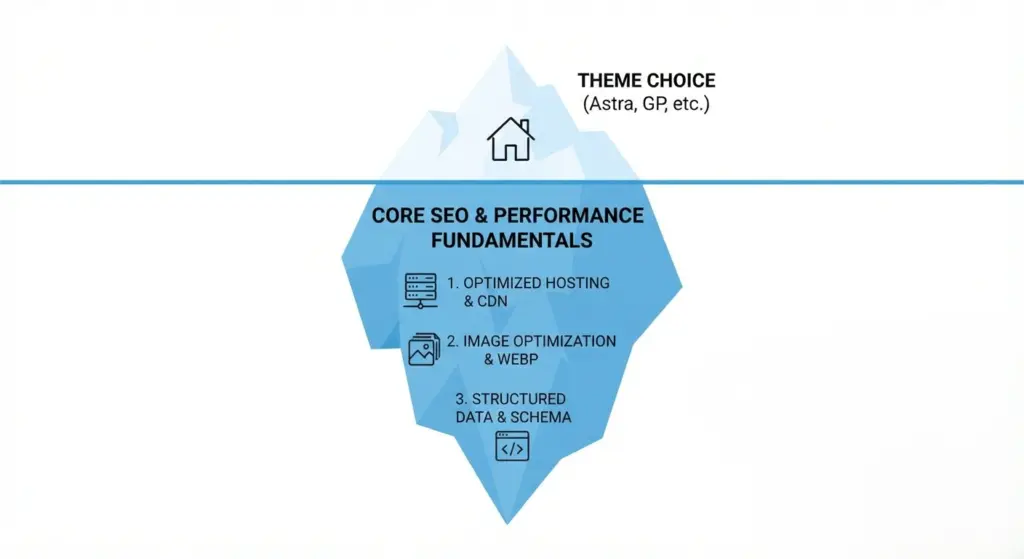
SEO fundamentals to apply regardless of theme
- Fast hosting and CDN: theme speed matters, but hosting and CDN can make the biggest difference. Use an optimized hosting stack and edge caching.
- Image optimization: serve WebP/AVIF, lazy-load offscreen images, and size images using srcset.
- Critical CSS & asset loading: minimize render-blocking CSS and defer noncritical JS. Many free themes already follow these practices; confirm in audits.
- Structured data: add article, product, breadcrumb, and organization JSON-LD either via theme support or an SEO plugin (e.g., Yoast, Rank Math).
- Clean heading structure: H1 on the page title, meaningful H2/H3 hierarchy in content — this helps both accessibility and crawlers.
- Canonical URLs and pagination: avoid duplicate-content issues by setting canonical links and paginated rel=”next/prev” where needed.
- Mobile UX: ensure touch targets, font sizes, and viewport scaling are correct. Google’s mobile-first indexing requires good mobile UX.
- Internal linking and content clusters: organize content into topic clusters with pillar pages and supporting posts.
- Page speed monitoring: use Lighthouse, PageSpeed Insights, or WebPageTest to monitor LCP, INP/FID, and CLS.
How to evaluate theme performance quickly (step-by-step)
- Install the theme on a staging site — never test on production.
- Import a starter template (if you want) and add typical page content (images, hero, sidebar, a long post).
- Run Lighthouse (Chrome) and PageSpeed Insights to get baseline metrics.
- Check for render-blocking JS/CSS and unused CSS.
- Inspect network waterfall for large fonts, icon files, or vendor libraries.
- Test on mobile emulation and an actual phone — emulation is not enough.
- Run a schema validator or view source for JSON-LD and structured data.
- Look at accessibility score in Lighthouse and manual checks (tab order, alt text).
- Test plugin compatibility: activate your SEO plugin, cache plugin, and WooCommerce (if relevant) and re-run audits.
Realistic trade-offs: what free themes don’t give you :
- Dedicated premium-level support: free support is usually community or forum-based; paid support is faster and often private.
- Niche functionality: membership systems, complex LMS features, and enterprise integrations often come in premium plugins or themes.
- Prebuilt complex templates: premium themes sometimes include dozens of high-end templates targeted to verticals (restaurants, clinics) — though many free themes now provide starter kits that reduce that gap.
- White-glove setup: if you need someone to configure and optimize everything to enterprise standards, premium services or agencies are the way.
Best free theme combos for common website types
- Personal Blog: Neve + Gutenberg + Lightweight SEO plugin (Rank Math free).
- Portfolio / Designer: Blocksy + Kadence blocks + optimized image workflow.
- Small Business / Agency: Astra + Elementor (free) + WP Rocket alternative cache plugin (free options exist).
- E-commerce / WooCommerce: GeneratePress + WooCommerce + product schema plugin.
- News / Magazine: Neve or Kadence + careful AMP or mobile-first template + CDN.
Accessibility, security, and best practices
- Accessibility: test with keyboard navigation, screen readers, and color-contrast checkers. Choose themes with explicit A11y attention.
- Security: prefer themes hosted on WordPress.org or reputable developers. Avoid nulled or unverified downloads. Keep themes and plugins updated.
- Backups and staging: use daily backups and a staging environment for theme changes.
- Least privilege for users: avoid giving admin access to designers unnecessarily — use Editor/Author roles where appropriate.
Practical setup checklist after theme install
- Remove demo content and unused starter templates.
- Configure Permalinks to /%postname%/ for readability and SEO.
- Install an SEO plugin (Rank Math or Yoast) and configure site-wide metadata and XML sitemaps.
- Set up caching (object, page) and link to a CDN.
- Optimize images on upload (WebP, responsive sizes) — use a free image-optimization plugin if needed.
- Configure schema output (product, article, breadcrumb).
- Set up social preview images (Open Graph / Twitter Card).
- Test and fix any Lighthouse accessibility or performance warnings.
- Audit third-party scripts (fonts, analytics, tag managers) and defer noncritical ones.
Frequently asked questions (short, actionable answers)
- Are free themes secure? Yes — themes on WordPress.org are vetted. Avoid untrusted third-party downloads.
- Will a free theme limit my design? Not necessarily — modern free themes plus Gutenberg can produce highly-polished designs.
- Should I use a page builder with a free theme? Use page builders when you need complex layouts; otherwise Gutenberg + block libraries keeps things lighter.
- Do free themes impact SEO? Only if they are poorly coded or slow. Pick themes optimized for Core Web Vitals and semantic HTML.
- Can I switch themes later? Yes — but expect minor layout and widget adjustments. Use a child theme or site-export tools to preserve customizations.
what pros do differently :
- Developers often build child themes or use custom CSS only when necessary — they prefer to keep the parent theme lightweight and updatable.
- High-traffic sites split concerns: use the theme for layout and core markup, let plugins (or headless CMS approaches) handle advanced functionality.
- Many agencies adopt a component-driven approach: reusable blocks, global styles, and pattern libraries that work across themes.
Migration and scaling advice
- When traffic grows, focus first on hosting and caching, then on theme micro-optimizations.
- If you plan to scale to a complex SaaS or marketplace, plan for a custom or premium theme and possibly headless WordPress.
- Keep your design system modular so migrating between themes is less painful — rely on content structure (blocks/shortcodes) over theme-dependent layouts.
Final recommendation :
- Choose one of the recommended themes (Astra, GeneratePress, Kadence, Blocksy, Neve) and install it on a staging site.
- Import a starter template and replace demo content with your content.
- Run performance and accessibility audits and iterate until LCP and CLS are in good ranges.
- Configure SEO plugin, schema, and caching.
- Launch, monitor, and optimize based on real user metrics.
Closing thought
In 2026, “free” no longer implies compromise. With careful selection, evaluation, and a focus on Core Web Vitals and semantic content, a free WordPress theme can be the foundation of a professional, fast, and SEO-friendly site. Use the container-theme + builder approach if you want maximum control, and only move to premium themes or paid services when you truly need features or support that free options can’t provide.